For a Louisville or Jefferson County restaurant, match the facility by name and address, then read its grade, numeric score, inspection date, and prior results together. A score without its date can be stale, and a letter grade without the underlying inspection history can conceal whether you are looking at a routine visit, a follow-up, or an older operator at the same address.
Louisville Metro’s restaurant inspection score service is the public starting point. The city’s Food Safety Program links the official lookup and the local explanations of restaurant grades. Louisville Metro also publishes a Restaurant Inspection Scores data layer containing facility, location, inspection-date, score, and grade fields. These sources were checked August 26, 2026.
Identify the permitted facility before judging the score
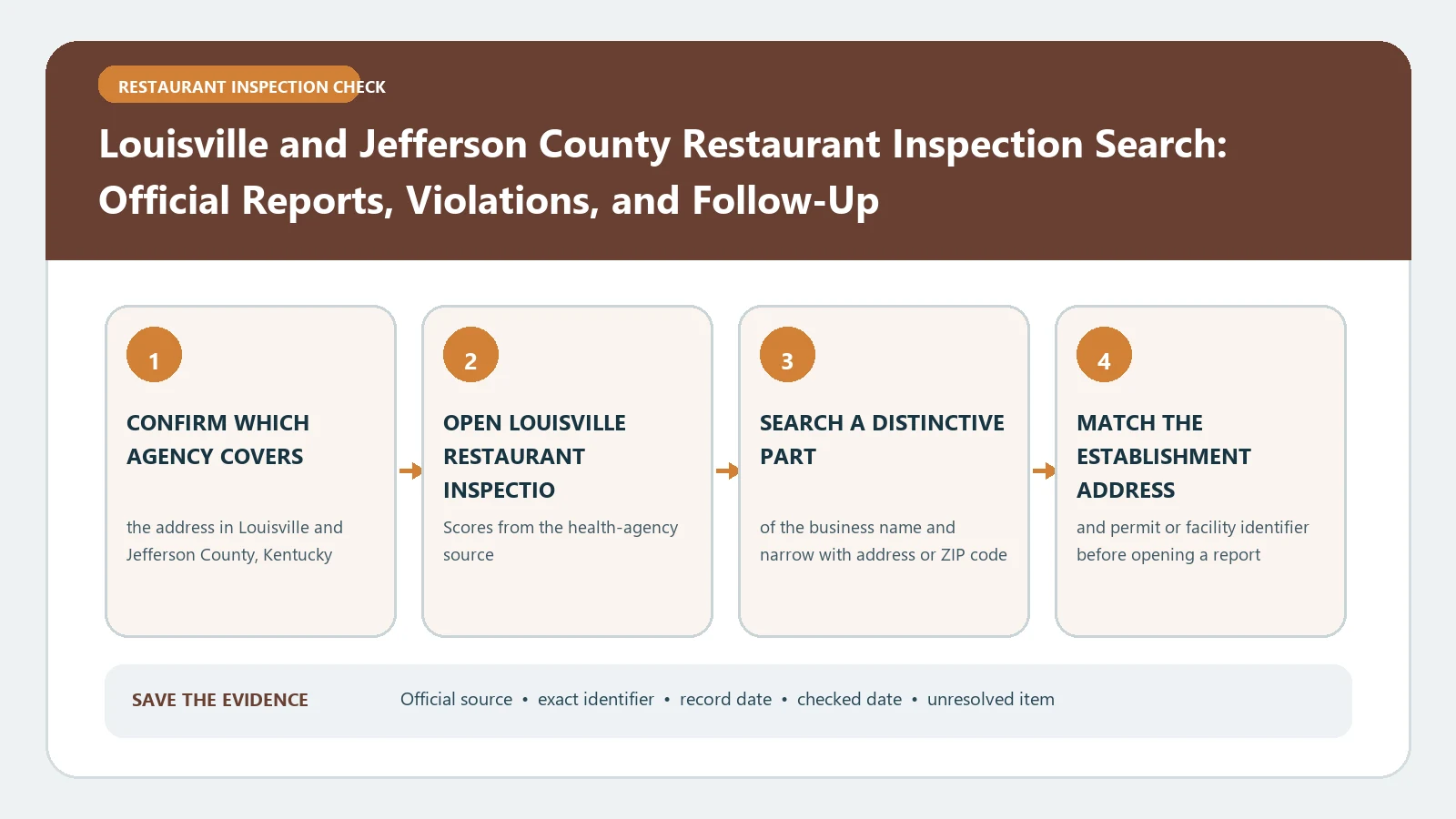
Search with the restaurant’s public name, but verify the result with the complete street address. Shopping centers, hospitals, hotels, campuses, and shared kitchens can place several permitted operations at one postal location. Chains can repeat a name across Jefferson County. A small spelling difference may also separate an older license from the current business.
Keep this identity set together:
- establishment name exactly as the official result displays it;
- street address, secondary address line, city, and ZIP code;
- establishment or permit identifier when available;
- facility type or subtype;
- inspection date, grade, and score from the same row.
Do not combine two rows merely because the premise name looks alike. If the current owner opened after the date on an older inspection, treat the ownership break as unresolved unless the official record clearly connects the two. For a restaurant outside Louisville Metro’s coverage, return to the restaurant inspection directory and find the correct local authority.
Use the public score page for the current snapshot
Open the Louisville service from the city page, not from a private restaurant-rating site. Search the exact facility and note the most recent inspection date shown. Then copy the grade and numeric score as a pair. If the interface exposes several visits, preserve their order instead of selecting the highest or lowest score.
The current snapshot answers a narrow question: what inspection result did Louisville Metro publish for this facility and date? It does not prove the dining room is operating now, that every cited item remains present, or that no newer visit is being processed. Write the retrieval date beside the result so another reader knows when the snapshot was collected.
If the lookup is hard to use on a phone, do not substitute a search-engine snippet. Open the official city page on a desktop browser or use the official data layer to confirm the facility identity and dates. The city route remains the decision source even when a map or data service supplies the underlying fields.
Read a score beside its grade and visit type
Louisville’s public sources present grades and scores, but the number should not be interpreted in isolation. First determine whether the row represents the latest routine result, a follow-up, or another inspection type. Next, open any available report or linked explanation. A numeric score can look strong while a priority finding or local grading rule changes the regulatory outcome.
Use the city’s Food Safety Program for the meaning of A, B, and C under Louisville’s policy. Do not import thresholds from another county. Keep the official grade exactly as printed, and keep violation descriptions in the inspector’s own terms. The guide to restaurant scores and grades can help organize the evidence, but it cannot replace the Louisville definition.
Compare the result with the preceding visits
The city’s open data exposes inspection dates, scores, grades, and facility locations, and related Louisville data products can show several recent results. Build a three-row history when the records are available: latest visit, preceding visit, and the visit before that. This is not an invitation to calculate your own average. It is a way to see direction and identify a follow-up.
For each row, record:
- inspection date and type;
- published numeric score;
- published letter grade;
- linked report or violation details;
- whether a later visit appears to address the earlier finding.
A rising score does not erase a prior closure or critical finding. A falling score does not prove a continuing violation. Use the individual reports and official follow-up status to explain what changed. If only one result is visible, label the history incomplete rather than guessing at a trend.
Use the data layer to solve identity problems
The official ArcGIS layer is useful when the visual lookup returns several similar names or when you need to compare address fields. It publishes fields such as establishment name, address, city, ZIP code, inspection date, score, and grade. Use those fields to choose the right location, then return to the consumer-facing score service for the readable inspection context.
Coordinates can help distinguish locations, but the layer warns through its data design that latitude and longitude are location fields, not a legal address certification. Prefer the written premise address and permit identifier when a map point lands in a parking lot or neighboring parcel. Do not edit or normalize the official record in a way that hides a mismatch.
Trace a failed result to follow-up or closure status
If a report shows a failed inspection, a C grade, a priority violation, or a closure-related condition, move forward through later visits. Look for a follow-up date, later grade, or explicit reopening status. Keep the triggering report and the correction visit together. A later A cannot be presented as proof that the earlier report was wrong; it may show that conditions were corrected and verified.
When the online sequence ends before the status becomes clear, use Louisville Metro Public Health and Wellness contact routes. For an urgent illness or sanitation concern, follow the city’s reporting instructions rather than waiting for a public-data refresh. The reinspection follow-up check provides a neutral format for recording the original finding, required action, and verification visit.
Resolve a blank search without declaring a pass
Try a shortened facility name, the street number plus street name, and a former name visible in older records. Remove punctuation and suite formatting. Check whether the operation is a mobile unit, school, hospital service, or another facility type that appears under a name different from the sign.
If the address produces two operators across time, preserve both opening or inspection periods. If the city page and data layer disagree, capture both URLs and retrieval times and ask the responsible Louisville program which record is current. A missing row can reflect spelling, recent licensing, a system delay, or coverage. It never proves that the restaurant passed inspection.
Save a Louisville inspection ledger
The final note should name the facility and address, list each reviewed inspection date with its official score and grade, identify the later visit connected to any concerning result, and state the last retrieval date. Include the city service, Food Safety Program, and data-layer links used.
If your question starts with a complaint rather than a restaurant name, the Louisville complaint and inspection record guide explains which dataset links a visit to a complaint.
Most Louisville C placards come with high scores: why a 95 can still get a C in Louisville breaks down a year of grades, follow-up timing and ZIP codes.
Keep the conclusion limited: Louisville Metro published the recorded grade and score for the matched facility on the listed date. That record is a regulatory snapshot, not a promise of current safety, food quality, or future compliance. When the operating status matters today, verify it through the current Louisville source rather than relying on an archived score.