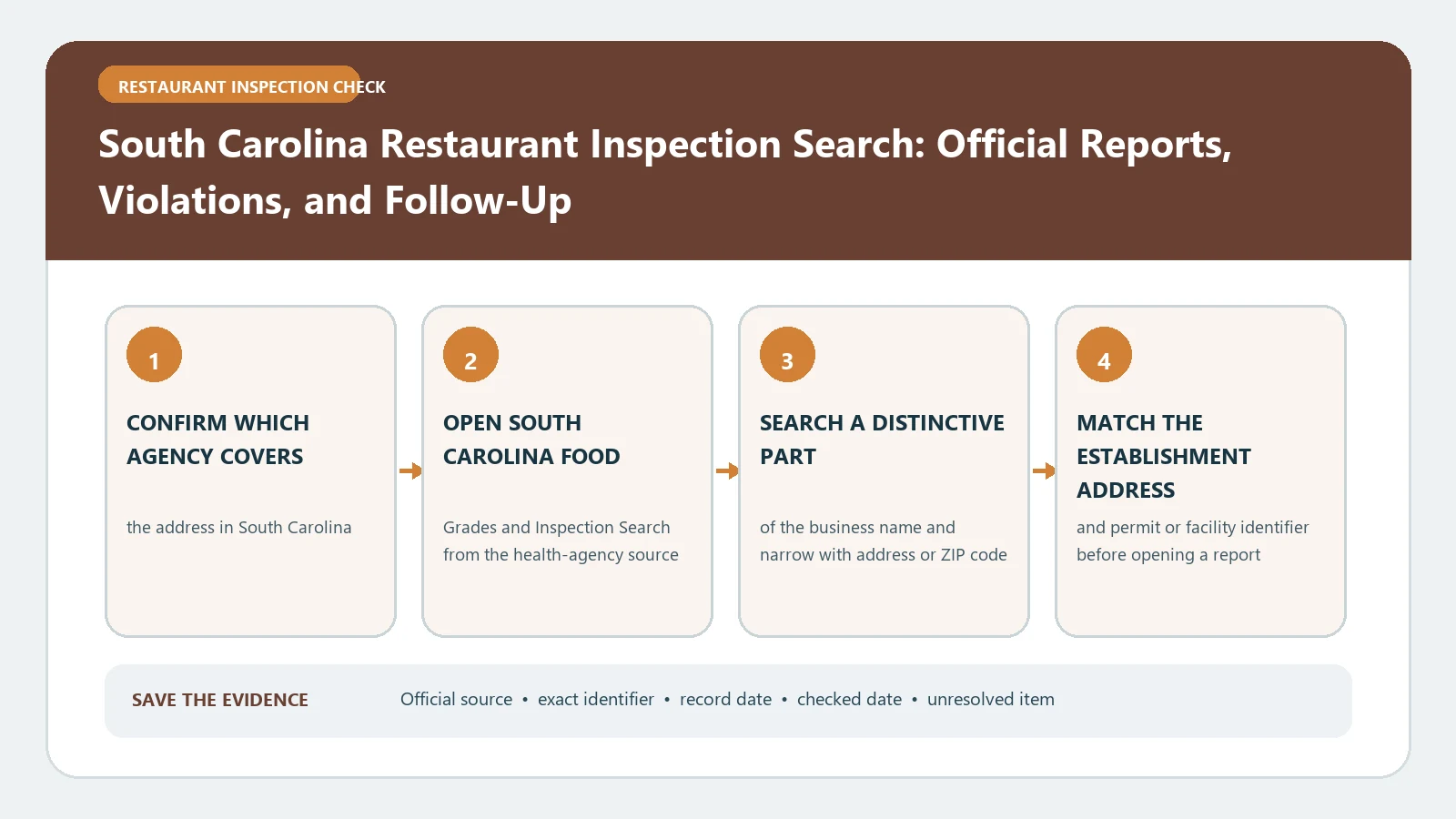
To check a South Carolina restaurant, use the SC Food Grades tool, verify the facility and city, then read the numeric score, posted letter grade, inspection type, and follow-up history as one record. The current program owner is the South Carolina Department of Agriculture, so an old DHEC bookmark or logo should not be treated as proof that you have reached the latest guidance.
At a glance
- Score: 100 points; each item on the inspection form is worth 3, 2 or 1 point.
- Grades: A 88–100, B 78–87, C 77 or below. The posted grade also weighs past compliance history (SCDA explanation).
- Most serious violations: Priority and Priority Foundation items. A follow-up visit comes within 10 days when a routine inspection requires one.
- Checked: South Carolina Department of Agriculture pages checked October 21, 2026.
Restaurant Inspection Check tool · rules checked October 21–23, 2026
Inspection score reader
Pick the program that inspected the restaurant, then enter what the report or door sign shows. The reader explains it on that agency's own scale and tells you what usually happens next.
The South Carolina Department of Agriculture’s Retail Food Safety page links the public inspection search and explains the program’s statewide scope. Its restaurant-inspection explanation defines risk-based visits, inspection types, scores, grades, and follow-up. The SC Food Grades application remains the public search tool even though its web address reflects the former agency. Sources were checked August 26, 2026.
Confirm the current agency before opening a result
South Carolina transferred retail food safety work from the former Department of Health and Environmental Control to the Department of Agriculture. The current SCDA page says its Retail Food Safety Department inspects permitted retail food establishments and directs the public to SC Food Grades for comprehensive reports. Start there so you can distinguish current policy from an archived DHEC explanation.
The Food Grades application may still display a legacy dph.sc.gov address. That host alone does not change the current program owner. Treat the SCDA page as the navigation and interpretation authority, and treat the application as the record-search interface linked from it. Save both URLs and the lookup date.
For another state or a local system outside South Carolina, use the inspection check by city rather than borrowing South Carolina’s grade scale.
Search by name, then narrow by city and map position
Enter a distinctive portion of the facility name. If the result list is broad, add the city or use the map extent around the known address. The Food Grades help page also allows a location search from the map. Do not select a result solely because it is geographically close; compare the full establishment name, street address, city, and facility type.
The tool covers more than restaurants. It can include delis, school cafeterias, grocery stores, retail meat markets, bakeries, seafood markets, convenience stores, and other facilities permitted under Regulation 61-25. Confirm that the result represents the operation you intend to check. A grocery deli report and an independent restaurant at the same shopping center are not interchangeable.
Record the permit or facility identifier when shown. It is the best defense against a brand rename or another branch with the same name.
Build the inspection chain before reading the letter
Open the facility record and put inspections in descending date order. The Food Grades help page states that the application contains inspections from the last three years. For each visit, copy the date, inspection type, numeric score, letter grade, listed violations, and follow-up instruction. Do not merge observations from separate dates into one report.
SCDA identifies several risk-based inspection types, including permit, routine, follow-up, food-safety check, and limited-scope food-safety inspection. The type changes how the record should be read. A permit inspection occurs before public opening; a routine inspection is an unannounced regulatory visit; a follow-up checks correction of a prior issue. A requested or emergency-related food-safety check should not automatically be presented as the restaurant’s routine grade event.
Use the health inspection report guide to preserve the order of visits while keeping SCDA’s type labels intact.
Read the score and grade under South Carolina rules
SCDA says risk-based inspections use a 100-point scale. Its current explanation lists Grade A for more than 87 points, Grade B for 78 through 87 points, and Grade C for less than 78 points. Copy the published score and grade rather than recalculating them from visible citations.
The agency also warns that the posted letter can depend on more than the latest arithmetic. Past compliance and circumstances described in Regulation 61-25 can affect the grade, and the SCDA FAQ notes that failure to correct prior violations at follow-up can produce a lower grade than the score alone suggests. If the number and letter surprise you, do not call the record an error. Open the report history and look for a repeated or uncorrected item.
The food inspection violations guide can help separate risk-factor findings from general retail practices, but only the official South Carolina report can establish the facility’s grade.
Follow a required reinspection to its outcome
SCDA describes follow-up inspections as visits conducted within the required correction window after a routine inspection that needs verification. When a report calls for follow-up, capture the deadline or stated interval and then locate the next visit for that facility. Compare the same violation or correction requirement across both reports.
Use three states in your notes:
- verified corrected by a later official visit;
- still cited or downgraded in the follow-up record;
- no public follow-up found for the matched permit.
Do not convert the third state into either cleared or noncompliant. If a later report exists but belongs to a different permit number or address, it is not the needed follow-up.
For a closure, permit action, or repeated noncompliance, check the official report and any linked enforcement record. South Carolina also publishes administrative and consent orders separately; the absence of an order does not cancel a finding in an inspection report.
Recover records outside the three-year window
If an older visit matters, the public application’s stated three-year window may not contain it. Save the facility identity and the approximate date, then contact SCDA Retail Food Safety for the record route. If a current establishment is missing, try the legal name, former name, city, and map search before asking the agency to confirm whether the facility is permitted or listed under another operation.
A blank result can also mean the place falls under a different regulatory category or is permit-exempt. Do not decide that from the interface alone. Ask the current program owner and keep the response with the search evidence.
Close with a dated South Carolina finding
Save the matched name, address, permit identifier, inspection dates and types, scores, grades, violation descriptions, follow-up result, official URLs, and retrieval date. If the agency transition or a legacy link affected the search, note which current SCDA page led you to the record.
The proper conclusion is limited to what SC Food Grades and SCDA displayed for that permitted facility during the checked period. A letter grade is not a guarantee of present conditions, and this guide cannot certify that a restaurant is safe, open, or compliant today. Recheck the live official record when the decision is time-sensitive.