To read a food inspection report, first match the exact facility, then confirm the inspection date and visit type, open the individual findings, and look for correction or later follow-up. A grade, score, or status is only a summary produced under one authority’s rules. It does not replace the dated violation detail.
This guide was checked on July 23, 2026. Restaurant inspection systems are local: the fields, severity terms, scoring method, publication delay, and record-request process can change by city, county, state, province, or country. Read the portal’s own legend before comparing two businesses or two jurisdictions.
Start with the authority that inspected the address
Use the government authority responsible for the restaurant’s physical address. In the United States, FDA says more than 3,000 state, local, and tribal agencies have primary responsibility for regulating retail food and food-service establishments. The FDA Food Code is a model offered for adoption; it is not one nationwide restaurant grading portal. Local law and agency procedure decide how a report is marked, scored, published, corrected, and enforced.
Outside the United States, begin with the official national or local scheme. The UK Food Standards Agency search holds food hygiene information on behalf of local authorities and explicitly says the hygiene rating is not a guide to food quality. Scotland also uses a different hygiene-status presentation from the 0-to-5 scheme used in England, Wales, and Northern Ireland. Those differences are a warning against translating every result into the same letter grade or star score.
- Search the restaurant’s city, county, or local authority website first.
- Confirm that the portal covers restaurants rather than only manufacturers, farms, or packaged-food facilities.
- Read the portal’s date range, update notice, and definition of active or closed facilities.
- Use review and delivery apps only to identify the address or trading name, not as a substitute for the official record.
Match the facility before judging the result
A familiar storefront name is not enough. Chains share names, restaurants move, legal operators change, and one address can contain a hotel kitchen, market counter, commissary, mobile unit, or several separately permitted facilities. A report belongs to the licensed facility identified in that row, not automatically to every business with a similar name.
- Street address: match the building number, street, city, and postal code.
- Facility or permit number: use this as the strongest link across name changes and later inspections.
- Legal and trading names: note both when the portal provides them.
- Facility type: confirm that the record is for the restaurant, food truck, market, school kitchen, or other operation you mean to check.
- Operating status: distinguish active, inactive, closed, suspended, and historical records.
Do not combine two records merely because they share a phone number, brand, or shopping center. Save the exact facility identifier and URL before drawing a conclusion, especially when the result affects a booking, complaint, or public statement.
Read the report in six passes
- Identity: verify the address, facility type, permit number, and business name.
- Event: record the inspection date and whether it was routine, complaint-driven, follow-up, pre-opening, closure, or another visit type defined by the authority.
- Finding: read the inspector’s observation instead of stopping at the violation title or code number.
- Classification: use the authority’s own priority, risk, point, or compliance label; do not invent a translation from another system.
- Correction: note whether the item was corrected on site, given a deadline, left open, or linked to another action.
- Chronology: open the next inspection, reinspection, closure, reopening, appeal, or permit action before describing present status.
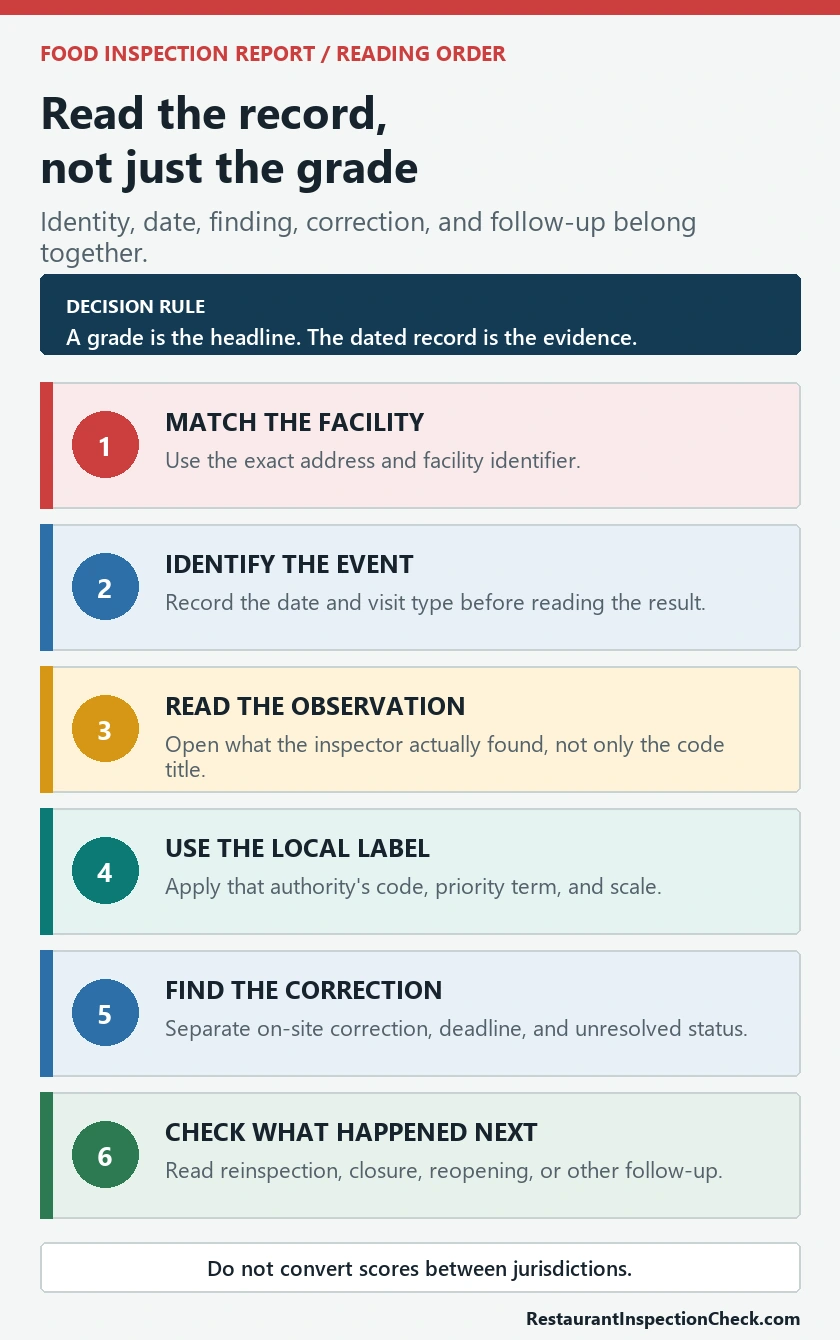
The sequence matters. A serious-sounding code title can have a narrow observed condition, while a brief title can hide a repeated control failure. Likewise, an item marked corrected during the visit is different from an unresolved item awaiting verification, but neither should be erased from the dated history.
Which violations show up most often, in five large cities over a year of inspections, is in the most common health code violations.
Translate each field without inventing a universal scale
| Report field | What to verify | What not to assume |
|---|---|---|
| Inspection date | The date of this visit and the next dated event | That it describes conditions today |
| Visit type | Routine, complaint, reinspection, opening, closure, or local equivalent | That every visit has the same scope |
| Code or item | The cited rule plus the observed condition | That a code number has the same meaning elsewhere |
| Risk or priority label | The portal’s legend and local definition | That words such as critical or major are globally standardized |
| Correction status | On-site correction, deadline, follow-up, or unresolved notation | That a passed overall score means every item disappeared |
| Grade, score, or status | The authority’s current calculation and posting rule | That it converts directly to stars, reviews, or another city’s grade |
FDA’s 2024 Retail Program Standards illustrate the kind of detail a strong inspection program records: compliance status, code references, corrective action, and follow-up for out-of-compliance risk factors. Those standards still leave enforcement options to the jurisdiction. Use them to understand why the detail matters, not to overwrite the labels on a local report.
Check correction and follow-up, not only the first finding
A report can record an immediate correction, a required correction date, a reinspection, a warning, a citation, a permit action, a closure, or no separate public follow-up. These outcomes are not interchangeable. Read the text beside the finding and then move forward through later events for the same facility number.
- Corrected on site: the observed condition was addressed during that visit; keep the original finding and the correction together.
- Correction deadline: note the due date and look for verification rather than assuming completion.
- Reinspection: compare the same item and any new findings on the later date.
- Closure or suspension: find the official reason and the separate reopening or reinstatement record before calling the facility currently open.
- Repeated finding: compare several dates; repetition can matter more than an isolated old item.
Absence of an obvious follow-up button does not prove that nothing happened. The authority may publish only selected fields, post records after a delay, keep older files in an archive, or require a public-records request for the full document.
An inspection is a snapshot, not a permanent verdict
An inspection documents what the inspector observed within the scope and time of that visit. It can reveal conditions, control failures, correction, and enforcement history, but it cannot guarantee every meal before or after the inspection. FDA likewise describes inspections as a snapshot in time within a broader oversight system.
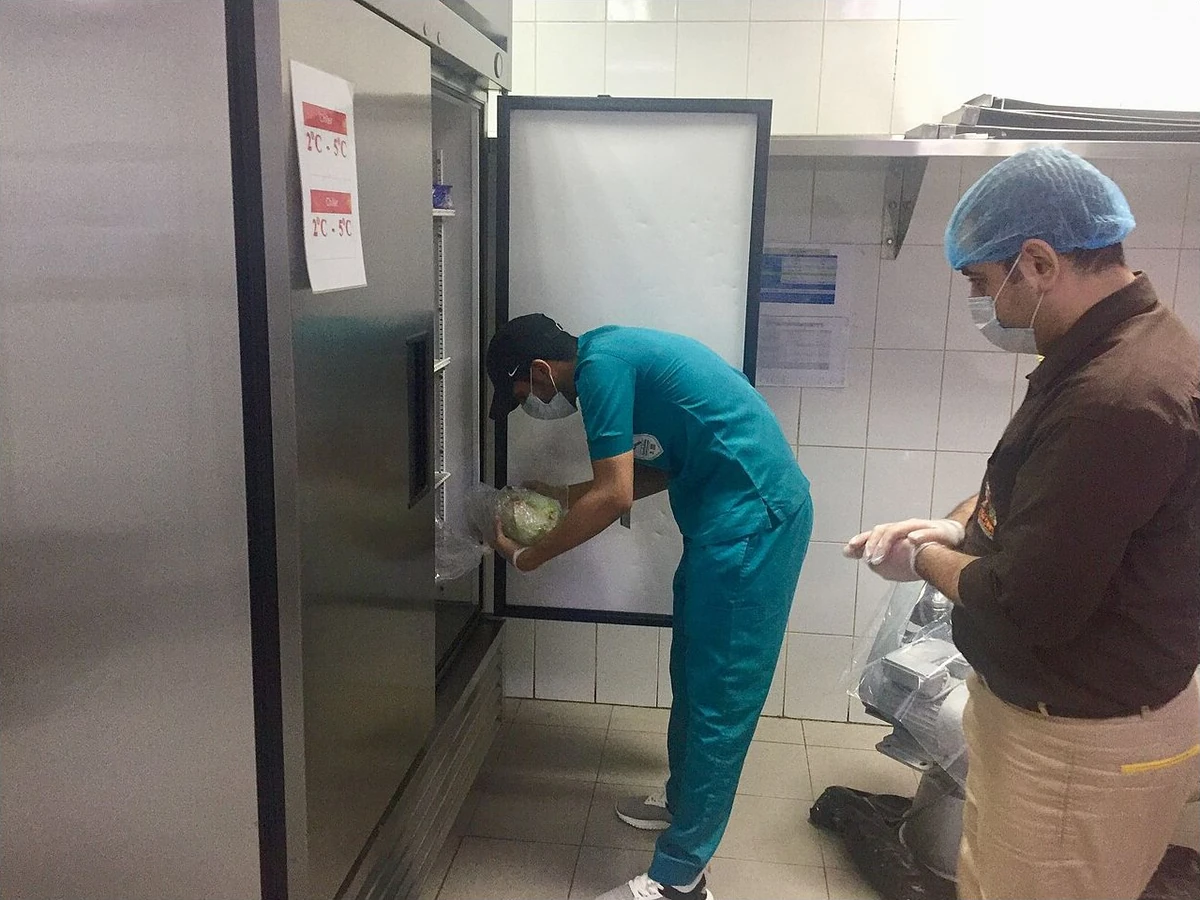

Use recent records and chronology, not a single dramatic phrase. A corrected historical finding should not be presented as a current unresolved hazard. Conversely, a high grade should not be used to erase the detailed violations, their correction status, or a later closure record.
Use a score or grade only inside that jurisdiction
Scores and grades are useful shortcuts when you know the local rule. They may reflect points deducted, compliance categories, risk-weighted items, or a rating based on several elements. Another authority can use a different scale or no consumer-facing grade at all. Do not convert a UK hygiene rating of 0 to 5 into a US letter grade, or compare two US city scores without reading both methods.
The UK Food Standards Agency says its rating concerns hygiene standards found at the last local-authority inspection and is not a guide to food quality. In the United States, the FDA Food Code supplies a model framework while local agencies adopt and enforce their own law. In either case, the safe reading is the same: use the visible rating as an entry point, then read the date, scope, findings, and follow-up available under that scheme.
Why the newest detail may not be visible online
Public portals have boundaries. They can limit results to active facilities, a fixed date range, selected record types, or summary data. A broken direct-search URL can also be a session link rather than the public entry page. Start from the authority’s current inspection-results page instead of bookmarking an internal login or query address.
Los Angeles County provides a current example. Its Environmental Health page says the active inspection search covers currently active facilities from the past five years, but restaurant and food-market inspection reports conducted on or after August 25, 2025 must be requested through the stated California Public Records Act process. As of July 23, 2026, a missing downloadable report there is therefore not proof that no inspection occurred.
- Read the notice above or below the search tool.
- Check separate closure, citation, open-data, archive, and records-request links.
- Record the date range and active/inactive filter used.
- Contact the authority with the facility identifier and date when the full report matters.
When the restaurant name returns no exact match
- Search the street address without the business name.
- Try the legal operator, former name, shortened name, and first part of the postal code.
- Check whether the facility appears under a hotel, market, commissary, food truck, or other permit type.
- Remove punctuation, suite text, and delivery-app wording that may not exist in the permit record.
- Use the official records-request or contact channel when the relevant period is outside the public portal.
Do not report “no violations” when the accurate result is “no exact public match found.” State what name, address, portal, filters, and date range you checked.
Questions people ask about inspection reports
Does one violation mean a restaurant is unsafe?
Not by itself. Read the observed condition, local risk classification, correction status, overall action, and later inspection. Avoid minimizing a serious unresolved item, but also avoid turning a corrected historical item into a permanent claim.
Is a high grade the same as a clean report?
No. A grade or score summarizes a dated visit under local rules. The detail can still contain findings, on-site corrections, or items that require follow-up. Open the report behind the headline result.
Why is the inspection date older than expected?
The facility may be on a risk-based schedule, the newest report may not yet be posted, the portal may show only selected records, or a records request may be required. Check the authority’s publication notice before assuming there was no later visit.
Can I compare grades across cities?
Only after reading each city’s method, and even then the comparison is limited. Different authorities can score different items, use different weights, publish different visit types, and trigger follow-up at different thresholds.
What should I save when a result matters?
Save the official authority, facility name and identifier, exact address, inspection date and type, relevant finding text, correction or follow-up, page URL, and the date you checked it. A screenshot can preserve context, but the live official record remains the primary source.
Official sources and related guides
Read the FDA pages on retail food protection, the 2022 Food Code, and the 2024 Retail Program Standards. Compare those model and program materials with the actual local authority record.
For current portal examples, use the LA County Environmental Health inspection-results entry page, its records-request guidance, and the official UK Food Hygiene Ratings search.
Continue with Restaurant Inspection Check by City, Search Restaurant Inspection by Address, Restaurant Reinspection and Follow-Up Check, and Restaurant Closure and Permit Suspension Check.