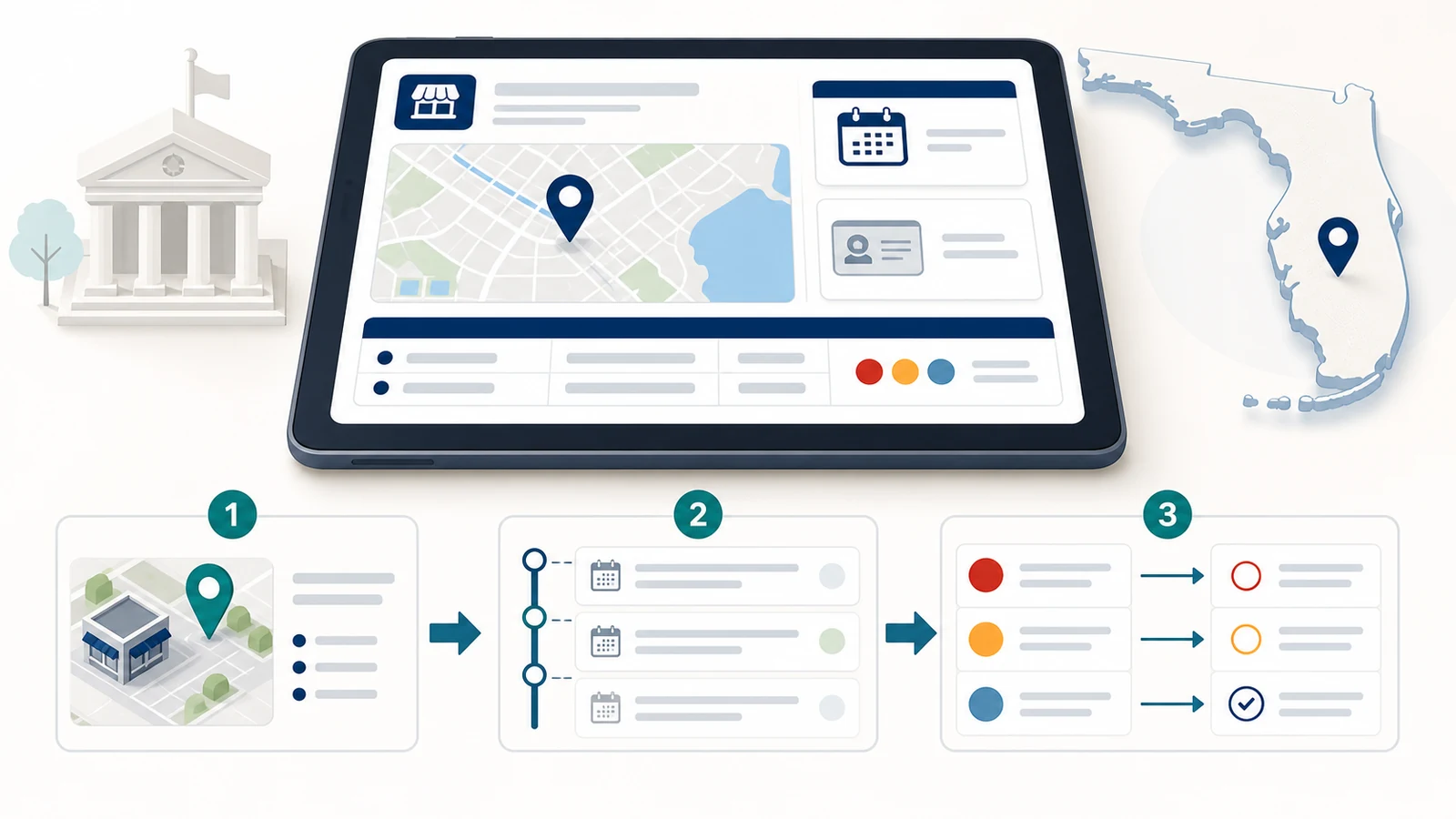
To find a Florida restaurant inspection report, search the Florida Department of Business and Professional Regulation’s Food & Lodging Inspections portal by business name or license number. Match the street address before opening a record, then read the inspection date, visit type, result, violation categories, and any later callback. Florida does not turn these reports into a universal score, star rating, or letter grade.
The direct route for most restaurants is the official DBPR inspection search. Keep the restaurant’s exact location beside you as you search. Chains, restaurants with similar names, and businesses that changed ownership can produce more than one plausible result.
Use DBPR for most restaurants, but not every place that serves food
Florida divides food-safety oversight among several agencies. The correct portal depends on the kind of establishment, not simply on the word “restaurant” in a map listing. The Florida Department of Health’s official agency breakdown identifies the main routes.
| Place you are checking | Likely regulator | Where to start |
|---|---|---|
| Most ordinary restaurants, takeout businesses, caterers, and mobile food vehicles | Florida DBPR, Division of Hotels and Restaurants | Food & Lodging Inspections |
| Grocery stores, food processors, storage sites, and distribution points | Florida Department of Agriculture and Consumer Services | Follow the FDACS route from the state agency guide |
| Many schools, institutions, civic or fraternal organizations, and limited-menu theaters | Florida Department of Health or another program named for that facility type | DOH inspections and complaints |
If a familiar food business is missing from DBPR, do not assume it has no inspection. First ask whether the establishment belongs to one of the other regulatory groups.
Search with the detail least likely to change
A DBPR license number is the cleanest search key because a restaurant name can be shortened, punctuated differently, or replaced after a sale. If you do not have the number, begin with a distinctive part of the business name and use the city and address to separate the results.
- Open the DBPR Food & Lodging Inspections search.
- Choose a name search unless you already have the DBPR license number.
- Try the shortest distinctive business name first. Remove words such as “restaurant,” “cafe,” or a unit number if an exact-name search returns nothing.
- Compare the street address, city, license status, and establishment type for every plausible match.
- Open the matching license and view its inspection history.
- Read the newest routine inspection together with any later callback, complaint visit, or emergency-order callback.
For a chain location, the brand name alone is not enough. A report for the same chain in another city tells you nothing about the branch you plan to visit. If you started with only an address, our guide to searching restaurant inspections by address explains how to preserve the location match.
Match the licensed location before reading any violations
Stop at the license profile and verify four fields: business name, street address, city, and license number. Save the license number once you have the right location; it is the best way to return to the same record later.
A changed name can hide a continuous location history, while a changed owner can create a different license record at the same address. If the current profile looks unusually new, repeat the search with a shorter or former name and include historic licenses. Do not combine violations from two different licensees merely because they occupied the same storefront.
Read the inspection result before counting violations
The result tells you what action followed the visit. The raw number of violations does not work as a Florida health score, and DBPR’s inspection terms state that establishments are not graded or rated.
| Result shown by DBPR | What it means for the next check |
|---|---|
| Met Inspection Standards during this visit | The observed conditions did not require another follow-up before the next routine interval, or a callback found the cited conditions corrected. |
| Follow-Up Inspection Required | The inspector requires further review, but the conditions did not call for immediate closure. Look for the later callback and its disposition. |
| Facility Temporarily Closed | Operations were ordered stopped until the conditions were corrected. Do not stop at this row; find the later emergency-order callback or reopening record. |
The DBPR inspection-dispositions page explains the labels that can sit under those broader results. “Warning Issued” calls for a return visit. “Inspection Completed – No Further Action” does not require a special callback before the next routine inspection. A callback marked complied indicates that the return visit found the required corrections.
High Priority, Intermediate, and Basic are categories, not points
DBPR classifies cited deficiencies as High Priority, Intermediate, or Basic. High Priority violations can contribute directly to foodborne illness or injury. Intermediate violations concern practices, equipment, training, or records that could lead to those risk factors if they remain unaddressed. DBPR describes Basic violations as best-practice items to implement. Employee training is one of those records; the 60-day rule and how to confirm a course is DBPR-approved are in our Florida food handler card guide.
Open the individual observations instead of judging the three counts alone. A note may say that a condition was corrected on site, that a warning was issued, or that the same issue was repeated. Those details are more useful than inventing a score from the totals. For a field-by-field reading method, continue with how to read food inspection violations.
Follow the timeline after a warning or temporary closure
The first report identifies the problem; the next dated event shows what happened afterward. A callback may show compliance, grant an extension, or recommend further administrative action. The newest row can also be a complaint inspection or callback rather than a routine inspection, so read the visit type beside the date.
- After a warning: locate the scheduled or completed callback and compare the cited items.
- After a temporary closure: look for an emergency-order callback showing whether the establishment complied.
- When the online timeline is incomplete: check DBPR’s restaurant and food-service public records, which include recent emergency-closure files and downloadable inspection history.
- When the latest report is old: confirm that you matched the current license and that a different agency does not regulate the facility.
A restaurant appearing open on a map or delivery app is not an official reopening record. Use the dated DBPR callback or public record. The site’s guides to restaurant reinspection follow-up and closure or permit suspension checks cover those two tasks in more detail.
When DBPR shows no matching restaurant
A blank search result is a routing problem to solve, not proof that the business escaped inspection. Work through these checks:
- Shorten the name and remove punctuation, a franchise unit number, or words such as “the” and “restaurant.”
- Search a shorter or alternate business name with the city, then compare the address in each result.
- Turn on historic-license results if the business recently closed, moved, changed owner, or changed name.
- Check whether the facility is a grocery, school, institution, hospital, child-care facility, bar with limited food, or another category assigned to a different Florida agency.
- If the record still matters, use the contact or public-record route on the responsible agency’s official site.
If the location is outside Florida, begin again with the restaurant inspection check by city. Inspection systems and result labels are local; the Florida interpretation should not be carried into another state.
What a Florida inspection report cannot prove
An inspection report is a dated government record of what an inspector observed during one visit. It does not guarantee present-day safety, predict future conditions, or replace a foodborne-illness report. DBPR warns that conditions can change quickly and that one inspection may not represent the establishment’s long-term condition.
The absence of a DBPR match also does not certify that a business is unlicensed or uninspected. It may reflect a different legal name, a new or historic license, a different Florida regulator, or a search mismatch. Treat this site as a guide to the official record, not as the inspecting authority.
Questions about Florida restaurant inspection reports
Where is the official Florida restaurant inspection search?
Use the Florida DBPR Food & Lodging Inspections portal for most ordinary restaurants, caterers, and mobile food vehicles. Search by business name or license number and verify the address.
Does Florida give restaurants a health score or letter grade?
No. DBPR states that establishments are not graded or rated because an inspection is a snapshot and conditions can change. Read the disposition, observations, and follow-up instead of converting violation counts into a score.
Does “Follow-Up Inspection Required” mean the restaurant was closed?
No. It means further review was required, but the conditions did not call for immediate closure. “Facility Temporarily Closed” is the separate result used when operations were ordered stopped.
How can I tell whether a temporarily closed restaurant reopened?
Open the later emergency-order callback or the recent emergency-closure public record. Look for a complied disposition or the official date associated with allowing operations to resume. A current map listing is not enough.
Why can’t I find a school cafeteria or grocery store in DBPR?
Those facilities may fall under the Florida Department of Health, Department of Agriculture and Consumer Services, or another program. Use the state’s agency breakdown to choose the regulator before repeating the search.
Official sources checked for this guide
- Florida DBPR Food & Lodging Inspections search
- DBPR inspection terms and violation-category explanation
- DBPR inspection dispositions
- DBPR restaurant and food-service public records
- Florida Department of Health food-safety agency breakdown
- Florida Department of Health inspections and complaints
When a DBPR record shows an emergency closure, our guide to DBPR closure and callback records explains how inspection and visit numbers connect the closure, the callbacks and the reopening date.
Last checked: July 28, 2026. Search fields, agency responsibilities, result labels, and public-record links can change; use the linked Florida agency pages as the current authority.