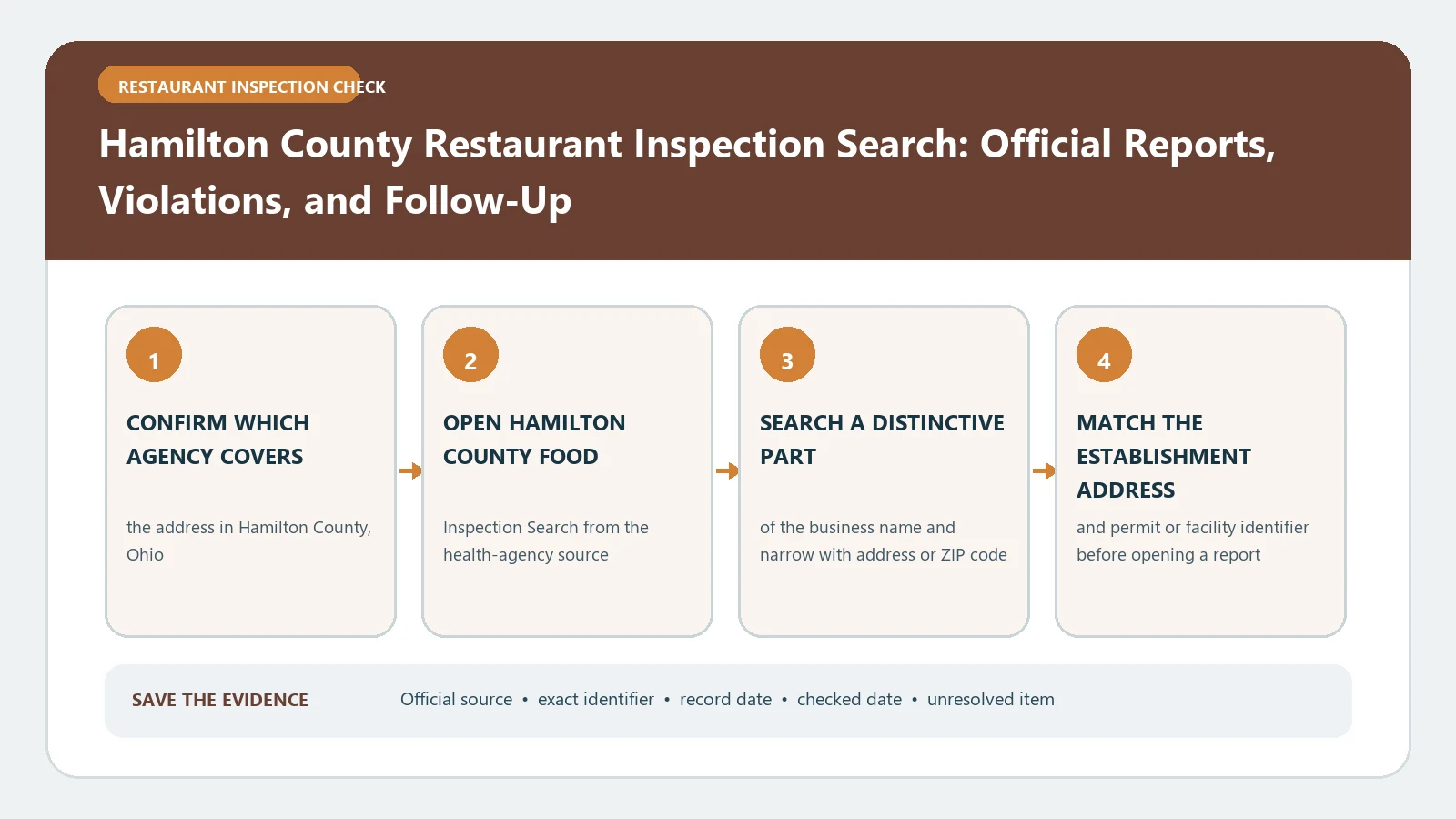
For Hamilton County, Ohio, choose the inspection-search route by record date before searching the restaurant name. Hamilton County Public Health is moving environmental-health records to Accela, and the agency warns that some results may be missing or display incorrectly during the transition. A blank result therefore needs a date-and-system check, not a clean-history conclusion.
The current Hamilton County Public Health Inspections page links environmental-health results, posts the transition warning, and provides help for reports that cannot be found. The agency’s inspection-records transition notice says new food inspection records moved to Accela in May 2025 and directs users seeking older records or help to Environmental Health. Both official sources were checked August 26, 2026.
Let the inspection date choose the database
Write the approximate inspection date before entering a name. Use the current Accela route for new food records. For a record before the transition boundary described by Hamilton County, follow the agency’s older-record contact instruction rather than treating Accela as a complete historical archive.
The Inspections page also identifies a limited 2025 period that may require the Accela database or direct Environmental Health assistance. Because the migration is still described as in progress, save the exact route and date used for every search.
If the date is unknown, search the current system first, then ask the agency where earlier records for the facility are held.
Confirm the health district and facility identity
Hamilton County contains multiple local jurisdictions, so confirm that Hamilton County Public Health is the issuer for the address. A restaurant with a Cincinnati mailing address or a county name in a business listing is not enough to establish the inspecting health district.
Within the correct system, match the establishment name and street address. Preserve the facility or license identifier, inspection date, and facility type. Keep different branches, operators, and separately licensed counters at one property in separate histories.
If the agency cannot confirm the facility under the name used, try a former trade name and the exact address. Do not merge a similar result merely to complete the record.
Capture the report before interpreting violations
Open the matched inspection and save the facility identity, inspection type, inspection date, cited violations, inspector comments, correction language, and any follow-up reference. Keep the original rule numbers and criticality labels when they appear.
One visit can contain several findings. Group them beneath the same inspection date rather than counting each item as a separate visit. When a later inspection exists, create a new row for it and state what it reports.
The restaurant report-reading guide can help structure the record, but the Hamilton County document supplies the authoritative details.
Treat a migrated no-result as an unresolved record
The county explicitly warns that some search results may not appear or may display incorrectly during the platform transition. If the expected restaurant or visit is absent, repeat the search by address and facility ID, take note of the system used, and preserve the failed query.
Then use the phone route shown by Hamilton County for help finding inspection reports. Provide the facility name, exact address, approximate visit date, and any older identifier. Ask where the specific record lives rather than requesting a broad history first.
Keep a transition search log with one line for each attempt:
- Record date or estimated date range.
- Interface used, including the current Accela route or older-record inquiry.
- Name, address, and facility identifier entered.
- Result found, no result, or display error observed.
- Agency response or next follow-up date.
This log shows whether the gap belongs to the restaurant record, the search terms, or the migration. It also prevents the same unsuccessful query from being repeated without changing any input.
Retain the agency’s case or reference number when one is supplied.
A system-transition gap is not evidence of no inspection, no violation, or compliance. State it as “report not located in the checked interface” until the agency answers.
Reconstruct the chronology across systems
When the restaurant has records on both sides of the migration, build one chronological table but retain a Source System column. List the inspection date, type, main findings, corrections, later action, document URL or reference, and retrieval date.
Do not assume the same field labels or identifiers carried unchanged into Accela. If a facility identifier differs, use the address and agency confirmation before joining the histories. Keep the old document even after a newer record appears because it proves the earlier observation.
Use the food-inspection violation guide only after the visits have been matched correctly. It cannot repair a cross-system identity error.
Separate inspection results from licensing conclusions
An inspection report documents a visit and the conditions or violations recorded then. It does not, by itself, establish that every license or permit question is resolved today. If the decision concerns current operating authority, use the county’s licensing route in addition to the inspection history.
Likewise, a later report may document corrections without erasing the earlier finding. Phrase the conclusion as a dated sequence: what was observed, what correction was recorded, and what later visit was located.
Use the agency when the transition creates conflict
If an older interface and Accela show different dates or facility identities, save both records and ask Hamilton County which entry corresponds to the premises. Do not choose the newer or more favorable result automatically. The difference may reflect migration, a renamed operation, or separate licenses.
For a restaurant outside Hamilton County Public Health’s jurisdiction, return to the city inspection directory and identify the proper official source before continuing. For an address inside Cincinnati city limits, see Cincinnati restaurant inspection results by neighborhood.
Close with a date-bounded Hamilton County finding
Your final note should identify the establishment, address, health district, systems searched, date ranges, matched inspections, violations, corrections, later action, source references, and lookup date. Add a visible transition note when any expected record remains unavailable.
This is not a safety certificate or a claim that the migration is complete. It is an audit trail through Hamilton County’s current search transition. Recheck the official Inspections page before relying on the result because the system routes and record availability may change.