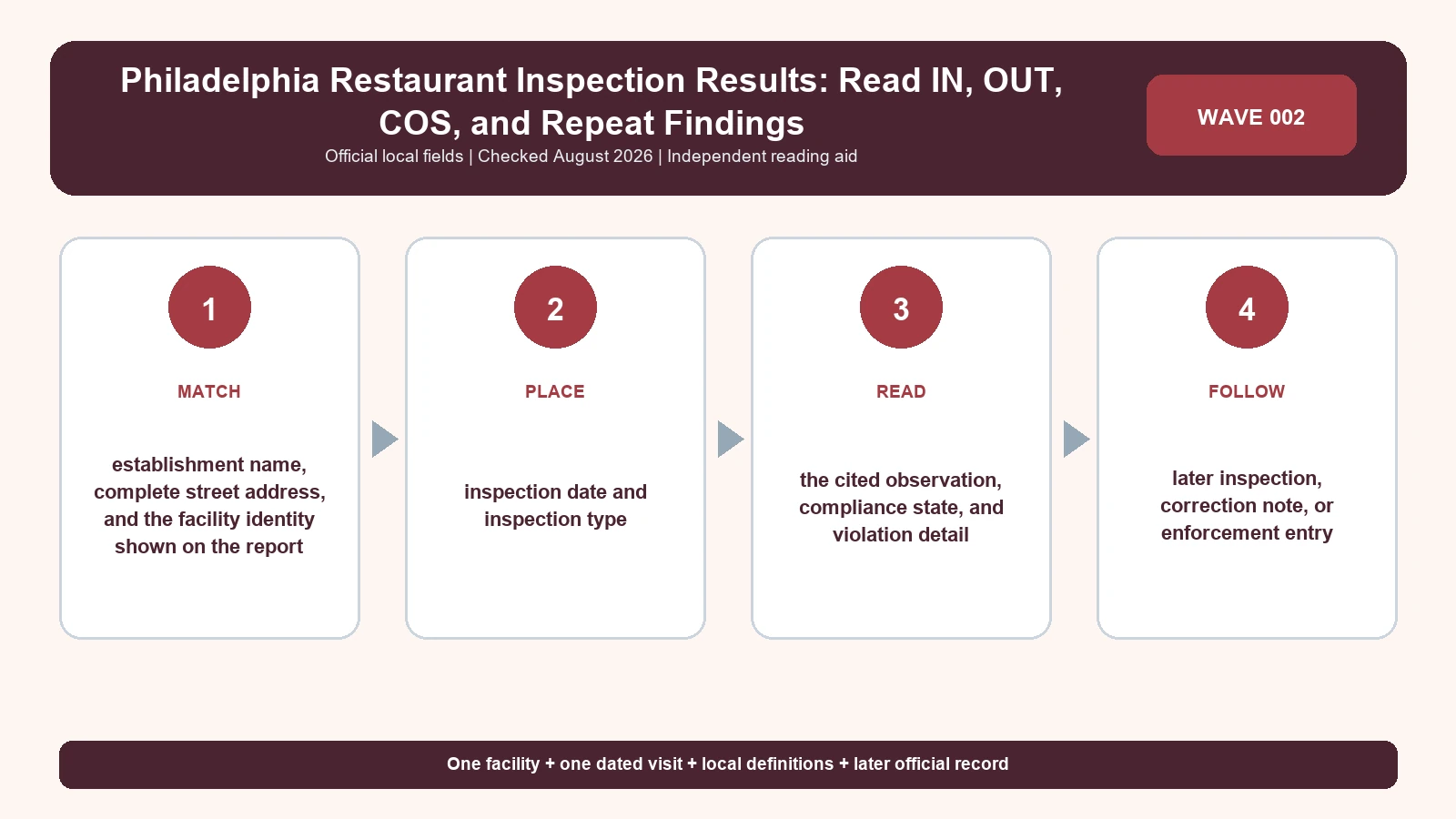
A Philadelphia inspection report is read item by item: match the food facility, confirm the inspection date, then distinguish IN, OUT, COS, and R on the city report. Philadelphia does not turn those observations into a citywide restaurant letter grade. An OUT item describes what the sanitarian found during that visit; it does not say the condition is still present today.
Last checked: August 7, 2026.
Open the Philadelphia Food Safety Inspection Report Search first. The city says the search covers reports entered during the most recent three years and accepts a business name, address, or ZIP code. The Philadelphia Public Health food-business resources places the lookup within the Office of Food Protection, while the Philadelphia guide to the Food Facility Inspection Report explains the fields printed on the report. Those three pages answer different jobs: find the report, confirm the responsible program, and decode the document.
Search by address when the storefront name is not the licensed name
Philadelphia’s search form can return several records for a repeated trade name, and mobile vendors may carry a vending location rather than the address a customer expects. Start with the full street address and ZIP code. On the report itself, compare the Food Facility name, physical address, telephone number, license information, and inspection date. If the address or license context disagrees, do not borrow a cleaner report from another branch.
| Philadelphia report area | Field to preserve | Why it matters | Common reading error |
|---|---|---|---|
| Inspection Report Header | Food Facility, address, telephone, license, inspection date | Establishes the inspected operation and the visit | Matching only the public-facing restaurant name |
| Foodborne illness risk factors | IN, OUT, COS, and R marks | Shows compliance, noncompliance, onsite correction, and repeat status | Treating OUT as a permanent restaurant grade |
| Good retail practices | Items 28 through 56 and the recorded observation | Covers sanitation, equipment, plumbing, pest control, and the physical facility | Assuming every item has the same health significance |
| Inspector comments | Narrative, correction instruction, and follow-up language | Explains what the checkbox alone cannot | Counting marks without reading the observation |
A reproducible match records the exact facility text before any judgment is made. Keep the report URL and inspection date with the extracted fields. Philadelphia’s online window is not a promise that every older event remains visible, so an absent pre-window report should be described as outside the displayed search period, not as proof that no earlier inspection occurred.
IN and OUT describe one requirement on one visit
The official report guide says risk factors are marked IN or OUT. IN means the inspected item met the requirement as recorded during that visit. OUT means the item did not. Neither mark is a consumer rating for the whole establishment. A single report can contain both, and the useful reading is the cited item, the observation, and the response—not a made-up score based on the number of OUT marks.
| Mark | Philadelphia meaning | Reader action | What not to claim |
|---|---|---|---|
| IN | The requirement was recorded in compliance at the inspection | Keep the item number and date | The restaurant is guaranteed safe now |
| OUT | The requirement was recorded out of compliance | Read the observation and correction instruction | The same condition continues today |
| COS | The violation was corrected on site during the visit | Apply COS only to the linked item | Every violation on the report was corrected |
| R | The report marks the violation as repeated from a prior report | Open the prior dated report and compare the same item | The business has never attempted correction |
COS and R can appear beside the same general inspection history but answer different questions. COS is about what happened during the selected visit. R requires a comparison with an earlier report. Do not infer R merely because two descriptions look similar; use the city’s mark or match the same cited requirement across the two official documents.
Use the four report sections instead of counting violations
Philadelphia’s guide separates the header, foodborne-illness risk factors, good retail practices, and the inspector’s comments. That layout is the quickest way to avoid a flat violation count. A temperature-control risk factor and a maintenance observation should not be described as interchangeable simply because each occupies one row. Preserve the section, item, observation, and any correction text.
- Copy the report header before the findings.
- Record each OUT item separately rather than writing ‘multiple violations.’
- Note whether COS is printed for that specific item.
- Flag R only when the report marks a repeat or the prior report supports the match.
- Read the comments for the corrective action and time allowed.
- Check for a later report before describing the sequence as unresolved.
The guide to reading food-inspection violations helps separate a code requirement from the inspector’s observation, but the Philadelphia report remains the evidence. If you have not found the right business yet, return to the Philadelphia inspection search guide rather than broadening this page into a second lookup guide.
Thirty days and immediate closure are different response lanes
The city report guide explains that the correction period depends on the nature of the violation. Some businesses may receive thirty days to correct an item. Imminent public-health hazards or severe vermin infestation can require the facility to cease operations until correction. Those statements are not a universal countdown for every OUT mark. Use the deadline or closure language printed in the selected report and current city guidance.
| Report language | What it supports | Next document | Limit |
|---|---|---|---|
| Correction required within a stated period | A time-bound instruction for the named item | Later inspection report or written city status | It does not prove the deadline was missed |
| Corrected on site | The named condition was addressed during the visit | Remaining OUT items on the same report | It does not resolve unrelated observations |
| Reinspection may be required | The facility can enter a follow-up path | The later dated report | It is not itself a closure order |
| Cease operations or closure | A dated operational action when the city report says so | Reopening or later clearance record | It cannot be projected forward without a newer source |
Build a Philadelphia evidence card that another reader can audit
A strong citation asset uses one row per observation and never repairs the agency’s data. Store the facility name, address, inspection date, report section, item number, IN or OUT, COS, repeat mark, inspector comment, required correction, and later-report URL. Add the date on which you accessed the search. If a field is blank, write blank. If a later document was not found, write that result and the search date.
This evidence card can be shared or cited because it exposes the route from claim to source. It also prevents a common mistake: a summary sentence saying a restaurant ‘failed’ when the Philadelphia document actually contains several item-level observations and no letter grade. The card should quote the report’s field values, then place editorial interpretation in a separate column.
Handle a missing or conflicting Philadelphia report without guessing
If the search returns nothing, retry the full address, ZIP code, a shorter licensed name, and any former business name. If two reports carry the same address but different facility names, retain both until the license context connects them. When the city search and a cached copy disagree, cite the live city record, save the access date, and ask the Office of Food Protection which version controls.
- Do not replace an unavailable city report with a review-site hygiene claim.
- Do not turn a blank mark into IN, OUT, zero, or pass.
- Do not merge a mobile vendor with a brick-and-mortar facility because names match.
- Do not call an OUT item unresolved after the same report marks it COS.
- Do not call a closure current without a dated city reopening or status check.
What the Philadelphia report can and cannot answer
The report can document what a Philadelphia sanitarian recorded at a named facility on a stated date. It can show item-level compliance, noncompliance, onsite correction, repeat notation, and any published response. It cannot certify today’s kitchen conditions, guarantee a meal will be safe, prove there were no complaints, or compare the establishment fairly with a city that uses a different score or placard system.
For general score language, use the live restaurant health score and grade guide. Keep the Philadelphia conclusion narrower: identify the report, read IN and OUT by item, honor COS and R, and follow the city’s dated correction or closure record. That is a defensible answer to the page’s title.
Questions readers ask after opening the report
Does Philadelphia give restaurants A, B, or C grades?
The city sources used here describe item-level report fields, not a citywide A-to-C restaurant grading system. Do not manufacture a grade from OUT marks.
Does COS remove an OUT observation from history?
No. COS says the named violation was corrected during that visit. Preserve both the original OUT observation and its onsite correction.
How far back does the public search go?
Philadelphia says the report search covers the most recent three years. Check the live page because the window and portal can change.
Run a Philadelphia claim audit before publication
Read every proposed sentence beside the source row that supports it. A statement about an OUT item needs the report section, item number, observation, and visit date; a statement about correction needs the COS mark or later city record. Keep R as repeat notation for the named item, not proof of uninterrupted noncompliance. This audit is especially useful when a headline writer wants to compress several fields into passed, failed, or unsafe—terms that the source may not use.
- Confirm the business name, address, and ZIP used in the city search.
- State that the public search covers the most recent three years.
- Retain IN, OUT, COS, and R exactly as attached to each item.
- Keep inspector comments separate from editorial explanation.
- Require a city action before using closure language.
- Date the extraction and save the direct report route.
Ask a second reader to reproduce one sampled row without verbal guidance. If that person cannot find the same facility, report, item, and notation, the asset is not ready. Repair the identifiers or links rather than adding stronger prose. The objective is not to make the inspection sound more decisive; it is to let an outside reader verify what Philadelphia recorded and see where the public evidence stops.
Scope: Philadelphia Office of Food Protection reports. This independent guide does not inspect restaurants, issue grades, or guarantee current safety.