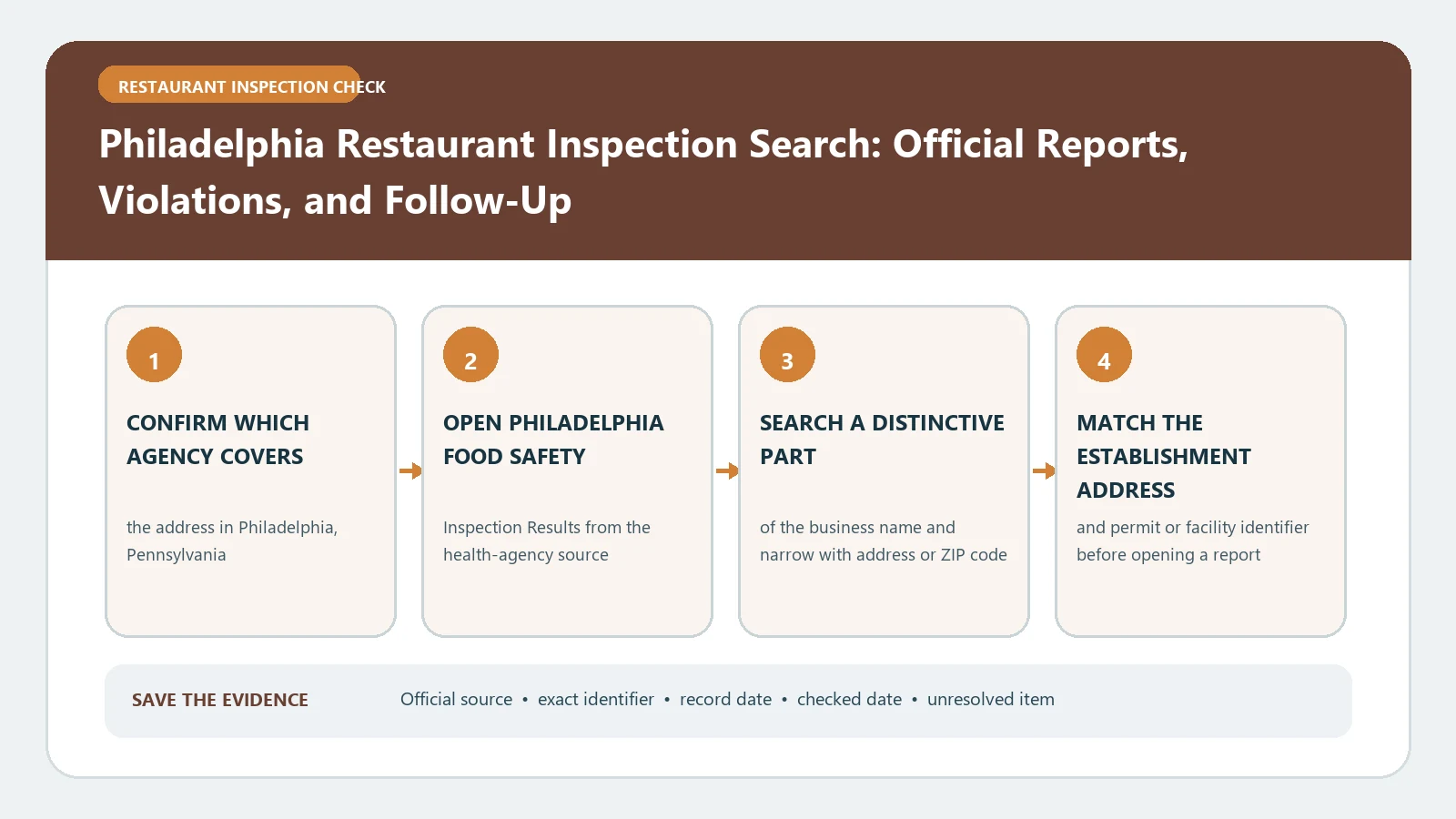
Philadelphia’s official food safety lookup lets you search reports from the past three years by business name, address, or ZIP code. Start at the City of Philadelphia report page, match the exact premises, and open the newest inspection plus any later follow-up. A blank result may mean the name is wrong or the report is outside the three-year window; it does not prove the restaurant has no history.
Checked August 26, 2026 against the current routes published by City of Philadelphia Department of Public Health.
The three-year window limits what an online result can answer
The City says reports are available as soon as they are entered and that the lookup covers the past three years. Record the date range you searched. If a transaction, complaint, or former business falls outside that window, contact the Office of Food Protection through the numbers on the City page rather than describing the online silence as no record.
| Search situation | Next search | Keep with the result |
|---|---|---|
| Exact name returns one match | Verify street address and ZIP | Business identity and newest inspection date |
| Many similar names | Use address or ZIP to narrow | The selected premises, not only the brand |
| No current-name match | Try former name and address | Every term attempted |
| Expected report is older than three years | Contact the City about older records | Requested date range and response |
Search first, then interpret the report fields
| You need | Use |
|---|---|
| The correct facility and inspection history | This Philadelphia search guide |
| Meaning of IN, OUT, COS, and repeat findings | Philadelphia result-field guide |
| What happened after a failed item | The later inspection, correction, closure, or enforcement record tied to the same facility |
Read the result row before deciding whether the item persisted
The report’s individual item status is more useful than a total count. Keep the item text, whether the entry shows compliance or noncompliance, any corrected-on-site notation, and the repeat indicator together. Then look for a later visit that addresses the same condition.
| Displayed signal | Question to ask | Avoid this shortcut |
|---|---|---|
| IN / compliant | Was the requirement in compliance at this visit? | Assuming every condition at the facility was reviewed |
| OUT / noncompliant | What exact condition did the inspector record? | Turning the code alone into a diagnosis of risk |
| COS | What did the report say was corrected during the inspection? | Assuming the correction can never recur |
| Repeat | Does the same item appear in an earlier report for this premises? | Applying the repeat flag to another branch |
Inspection type and date define the comparison
A routine inspection, complaint investigation, and follow-up may cover different questions. Compare two visits only after writing down the type and date of each. When a follow-up has fewer listed items, check whether it was limited to earlier violations before treating it as a complete clean inspection.
- Open the newest report for the correct address.
- Identify the inspection type and disposition shown by the City record.
- List every OUT item and whether COS or repeat information appears.
- Open the next dated report and locate the same code or condition.
- State only what the sequence shows; leave present-day conditions unverified unless the latest report supports them.
Use later evidence to distinguish correction from disappearance
An item can disappear because it was corrected, because the later visit had a narrower scope, because the business changed, or because the report window moved. The strongest evidence is an explicit correction notation or a later inspection addressing the same premises and requirement. Save both reports rather than quoting the newer total alone.
A rebrand should create an identity boundary, not erase the address
When a restaurant changes names, search the street address and ZIP, then separate reports by the business identity and dates shown. Do not assign an old operator’s violation to the new operator without evidence, but keep the premises chronology if your question concerns the location.
A Philadelphia food safety report is a City record of a particular inspection. It does not certify today’s conditions or show reports beyond the official online window.
For a closer reading of IN, OUT, COS, and repeat fields, use Philadelphia Restaurant Inspection Result Fields. To trace what happened after a cited item, continue to the Philadelphia reinspection and enforcement timeline.
Keep a three-year search log that survives a later window shift
Because the online window moves forward, a report visible today may disappear from the standard search later. Your research note should capture what dates were available when you checked, the inputs used, and the exact facility selected. Save the report according to the City’s permitted download or print options and retain its inspection date in the file name. A screenshot of a result list is not a substitute for the detailed report.
| Search-log field | Value |
|---|---|
| Checked on | August 26, 2026 |
| Inputs | Business name, address, ZIP, and former name if tested |
| Selected premises | Exact displayed name and street address |
| Online coverage | Oldest and newest report dates visible for that premises |
| Saved evidence | Detailed report files and links, not only a result-list image |
Escalate the missing event, not the entire restaurant history
When the City page cannot answer a question, identify the specific inspection or date range that falls outside the online coverage. Supply the facility address and any former name, explain which searches were attempted, and ask the Office of Food Protection whether an older or otherwise unavailable record can be obtained. Keep the agency response beside the online search log so readers can distinguish an archive limitation from a verified absence.