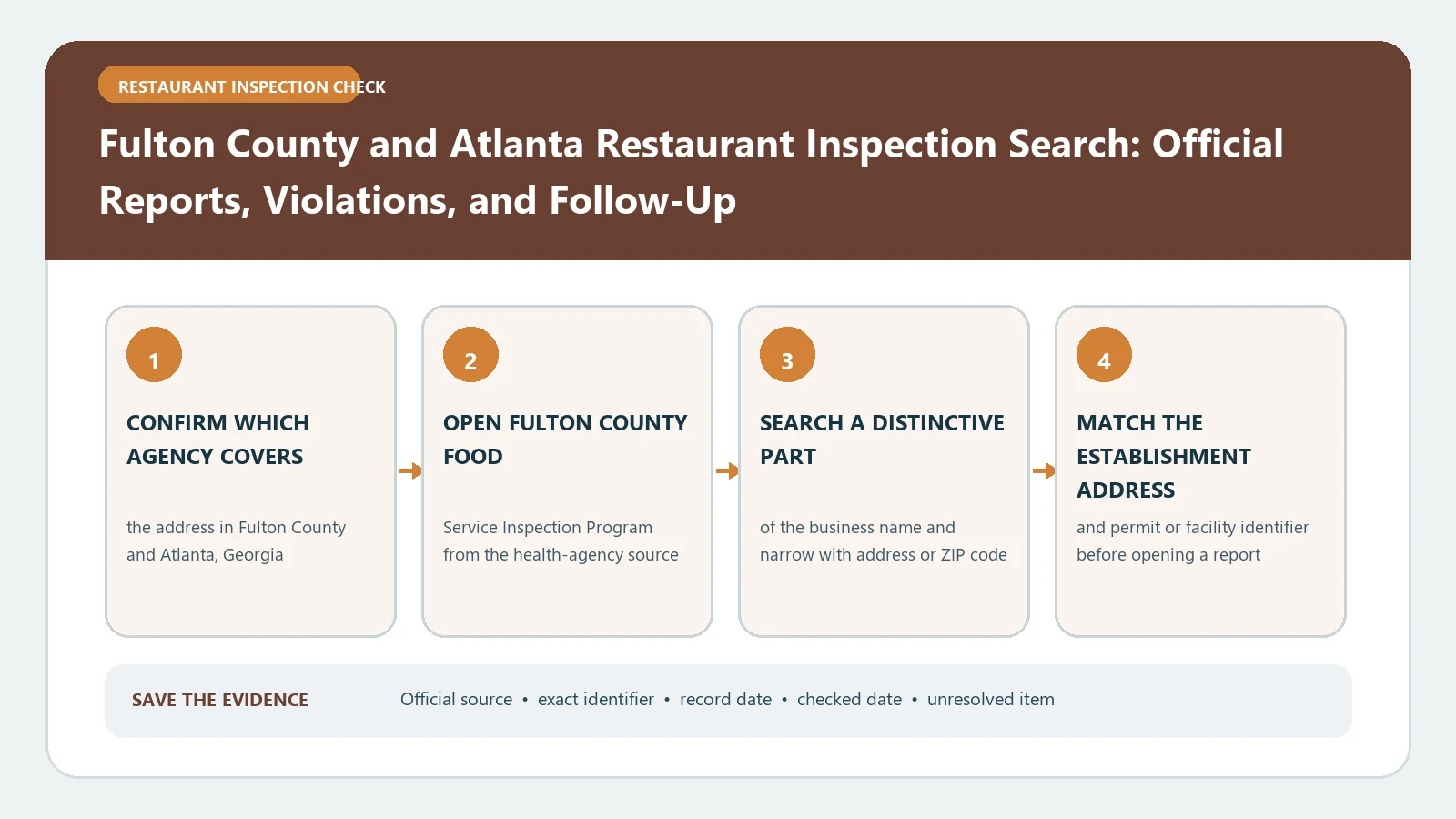
For a Fulton County or Atlanta restaurant, use Georgia’s official food-inspection search to identify the establishment, then use Fulton County’s violation data to examine the dated findings tied to that facility. Match the address before comparing scores or violations. A name-only result can point to another branch, and a historical inspection cannot establish current conditions.
The Georgia Department of Public Health Food Service page links the state’s official inspection search and identifies county Environmental Health offices as the contact for local inspections, records, and complaints. Fulton County’s Food Service Inspection Violations dataset publishes violations reported by Board of Health environmental health specialists during food-service inspections. Both official sources were reviewed August 26, 2026.
Start with the statewide facility search
Open the search from the Georgia DPH page rather than a commercial restaurant listing. Search the full establishment name, then narrow the result with its street address. Atlanta-area chains frequently have several branches, and a hotel, market, or food hall can contain more than one permitted operation at the same property.
Create an identity line before reading the inspection:
- establishment name as the search displays it;
- street address, city, and ZIP code;
- county or health district shown;
- facility or permit identifier when available;
- inspection date and inspection type.
If the address or issuing county does not match, reject the row. Do not combine records merely because the same parent company or brand appears in both.
Use the Fulton data for violation-level context
The Fulton dataset and the statewide search answer different parts of the question. The search helps locate the official facility and its inspection history. The county dataset supplies violation records reported during inspections. Keep the facility identity and inspection date attached when moving between them.
Filter the county data with the narrowest reliable values available. When multiple violation rows share an establishment and inspection date, group them as findings from one visit rather than counting each row as a separate inspection. When two visits occur close together, preserve both dates and inspection types.
The Fulton and Atlanta result-field guide can help arrange the fields, but cite the state search and county dataset for the underlying facts.
Keep the score, finding, and correction distinct
Transcribe any displayed score or result exactly. Then list the dated violations separately. A score summarizes an inspection under Georgia’s system; it does not replace the violation detail, and it should not be converted into another jurisdiction’s letter-grade scale.
For each visit, note what the inspector recorded and whether the same record documents an on-site correction. Search forward for a later inspection or follow-up. A later improved result is evidence of a later visit, not proof that every earlier item stayed corrected after that date.
When the county data gives a rule reference or violation description, retain that wording with the visit date. The violation-reading guide can clarify how to organize priority, correction, and follow-up information without changing the local terminology.
Build a two-source visit card
A reproducible Fulton visit card should contain two source columns. In the first, save the facility identity, inspection date, type, and result from the state search. In the second, save the matched county violation rows and the filters used to retrieve them. Add the access date for both.
This arrangement exposes mismatches instead of hiding them. If the state search shows a visit that has no corresponding county-data row, mark the violation detail as not located. If the county dataset contains a similar name but a different address or date, do not force the join. Ask the county Environmental Health office which identifier connects the records.
Add a short reconciliation note whenever the two sources do not line up. Record the exact state-search inspection date, the date range used in the Fulton data, the facility name and address in each source, and whether a shared identifier was visible. Then classify the outcome as matched, probable but unconfirmed, or not matched. That label keeps a likely name match from silently becoming a factual assertion. It also gives the county a precise question to answer without sending an unfiltered export containing unrelated restaurants.
Keep that reconciliation note with the visit card.
Follow the same premises forward
Sort the matched establishment’s inspections chronologically. Look for a later routine visit, reinspection, or other follow-up label after a concerning result. Keep the exact later date and result beside the earlier event. Do not substitute a newer branch or a changed operator at the same address.
For a lease, vendor review, or documented complaint, save the underlying report or data export when the official system permits it. A screenshot of one score is weaker because it omits the query, address match, and surrounding chronology. Use the restaurant report guide to keep the evidence packet readable.
When the facility or violation row is missing
If the state search returns no exact match, remove punctuation and corporate suffixes, try the address, and check a former trade name. Confirm that the facility is in Fulton County and that the state search covers the relevant health district. Georgia DPH notes that some counties use separate searches, so a statewide no-result should not automatically be treated as no record.
If the facility appears but violation data does not, widen only the date range and verify the identifier. Publication timing, a changed business name, or a dataset boundary can create the gap. Save both queries and contact the county Environmental Health office when the missing detail affects a decision.
Report only what the two systems support
A careful conclusion says which establishment and address were matched, which inspection dates were reviewed, what result the state search displayed, which Fulton violation rows were located, and whether later activity appeared as of the access date.
It should not declare the restaurant safe, licensed for every purpose, or free of unreported problems. For a current illness or sanitation concern, use the official local complaint route rather than waiting for an online inspection update. Recheck the state and county sources before acting because both the history and the public interfaces can change.