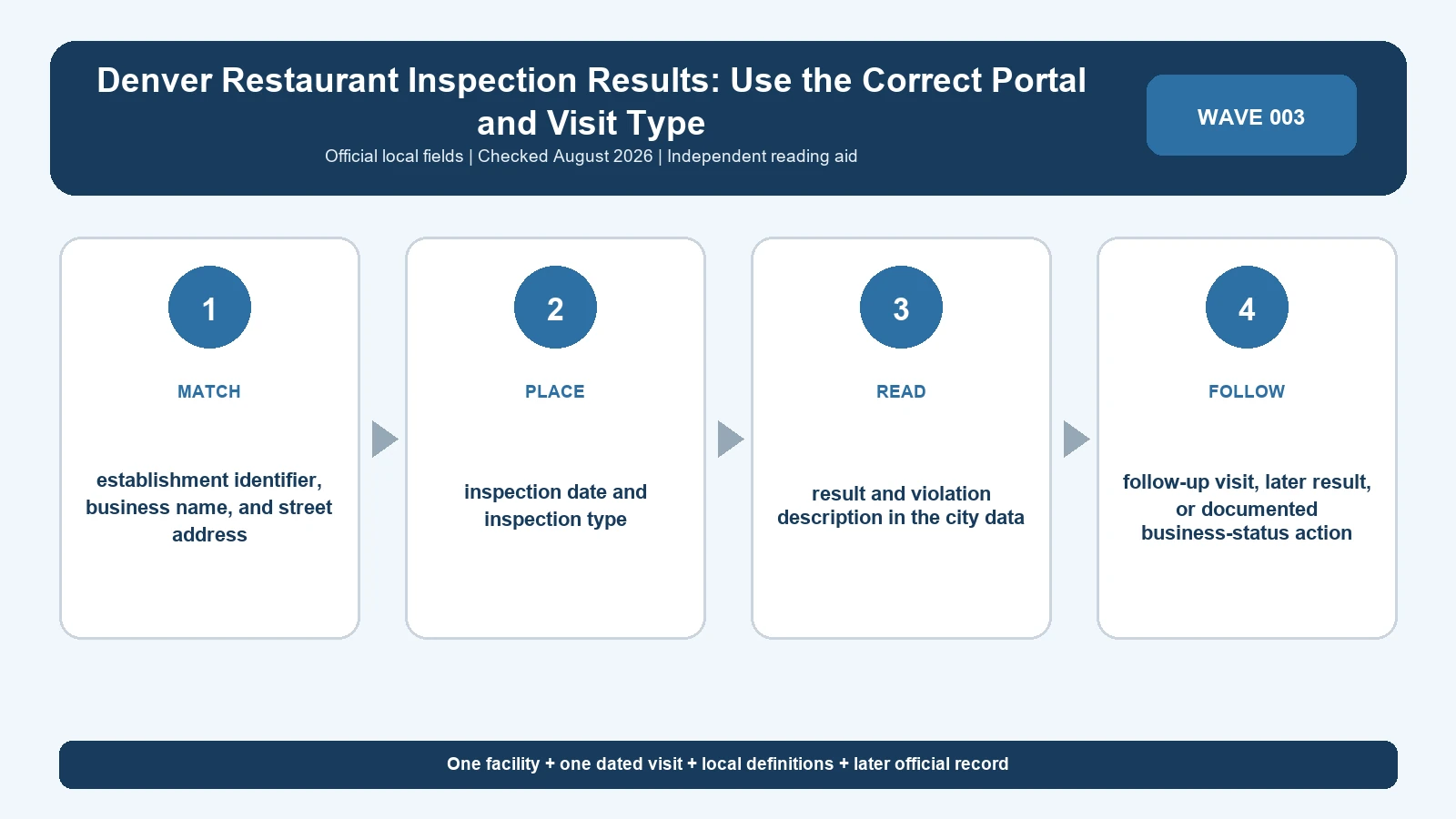
Denver inspection results span two official systems, so the first field to read is the visit date. Use the legacy restaurant search for records before September 6, 2024 and Denver’s Accela Citizen Access route for records from that date forward. A result copied from only one portal can leave a false gap in the establishment’s history.
Last checked: August 7, 2026.
The routing instructions are on the Denver Food Safety Program. The city still exposes Denver restaurant inspection search for records before September 6, 2024 for older reports, and Colorado retail food resources supplies the Colorado retail-food rules behind current inspection work. Bookmark the program page rather than one search result because Denver can change the destination or login flow while preserving the date split.
Route the inspection date to the correct Denver portal
Denver states that inspections dated September 6, 2024 or later are found in Accela Citizen Access under the Business Licenses tab. Earlier records belong in the legacy search. When a research period crosses that boundary, search both systems and retain the query inputs. A zero-result response from the wrong side of the split says nothing about whether the visit exists.
| Visit date | Official route | Search action | Interpretation boundary |
|---|---|---|---|
| Before September 6, 2024 | Legacy restaurant inspection search | Use restaurant name and address fields | Absence does not cover newer Accela records |
| September 6, 2024 or later | Accela Citizen Access | Open Business Licenses and locate the establishment | Absence does not cover legacy history |
| Unknown date | Food Safety Program routing page | Establish identity, then search both systems | Do not choose the easier portal |
| Period crosses migration | Both official routes | Merge events by date after identity review | Do not count a duplicated migrated record twice |
The cutoff is a publication-system boundary, not an inspection-quality boundary. Do not describe pre-cutoff visits as expired, inferior, or unofficial. Similarly, a current Accela record does not supersede an older report; it adds a later dated event.
Match the restaurant across a portal migration
The legacy search accepts Restaurant Name and Restaurant Address. Accela may organize the establishment under a business-license record. Copy the exact name, complete address, and any displayed record or license identifier from each system. A stable address can help, but it cannot by itself prove the operator, permit, or licensed facility stayed the same.
| Match field | Legacy evidence | Current evidence | Mismatch response |
|---|---|---|---|
| Business name | Restaurant Name result | Business-license display name | Record former and current names |
| Address | Restaurant Address | Licensed location and unit | Keep separate if suite or number conflicts |
| Identifier | Any report or establishment key | Accela record or license number | Do not manufacture a crosswalk |
| Visit date | Printed inspection date | Inspection event date | Sort by event, not search position |
| Inspection type | Legacy label | Current label as published | Preserve vocabulary rather than forcing equivalence |
A restaurant can change its public name while the licensed location remains, or a new operator can take over the same kitchen. Put identity evidence in the dataset instead of hiding it in a note. When the connection is uncertain, create two candidate histories and ask Denver Public Health and Environment before publishing a continuous narrative.
Distinguish Regular or Full visits from Limited visits
Denver describes a Regular or Full inspection as an unannounced evaluation of the facility. A Limited inspection can be a follow-up focused on items that were not compliant or a response to a complaint. These visit types should not be ranked as if they measure the same scope. A short Limited report may be appropriately narrow rather than incomplete.
| Denver visit label | What it commonly answers | Reading rule | Do not conclude |
|---|---|---|---|
| Regular or Full | Broad compliance snapshot | Read all listed items and the visit date | No complaint ever occurred |
| Limited follow-up | Status of selected noncompliant items | Link it to the triggering visit | Every food-code item was reinspected |
| Limited complaint response | Issue within the complaint scope | Preserve the city’s visit description | The complaint was proven exactly as alleged |
| Other published type | The purpose Denver assigns | Quote the label and explanation | It equals a neighboring jurisdiction’s type |
Inspection frequency also varies with operation risk and complexity. Denver’s materials describe intervals ranging from approximately six months to two years, with full-service facilities commonly inspected more often than limited-menu operations. A long interval is therefore not automatically evidence that Denver missed an inspection. Record the facility type and the public program rule before drawing that conclusion.
Read legacy Type 1 and Type 2 descriptions in their own era
The legacy search explains Type 1 as critical and Type 2 as non-critical. Preserve those labels when transcribing an older report. For current regulatory meaning, consult the current Denver portal and Colorado food rules rather than casually translating every historical label into Priority, Priority Foundation, or Core.
| Older report element | Defensible transcription | Additional check | Unsafe rewrite |
|---|---|---|---|
| Type 1 | Critical under the legacy description | Read the observation and correction notation | Automatic closure |
| Type 2 | Non-critical under the legacy description | Read the condition and later history | Harmless or optional |
| Corrected on site | Item addressed during that visit when stated | Check other findings separately | The entire establishment was cleared |
| Uncorrected item | Not shown corrected in that report | Seek a Limited follow-up | Still unresolved today |
The food inspection violation guide can help separate the cited requirement, observed condition, and correction. Keep Denver’s original terminology in the evidence column. An editorial normalization can be added in a different column only when the source rules justify it.
Treat the report as a dated snapshot
Denver itself warns that inspection information is a snapshot. Violations may be corrected onsite, and uncorrected violations can lead to reinspection. The snapshot caveat works in both directions: an adverse old finding does not prove the condition remains, and a favorable visit does not guarantee conditions after the inspector left.
Write date-specific sentences. ‘Denver recorded a Type 1 item on March 2’ is auditable. ‘This restaurant is unsafe’ is broader than the record. If a later Limited inspection addresses the item, append that event without changing the earlier report.
Create a two-portal Denver evidence table
A useful local asset has a portal column because future readers must know where the row originated. Store the exact displayed text before creating a summary. The structure below also reveals periods that require a second search.
| Column | Value | Verification purpose |
|---|---|---|
| Portal | Legacy or Accela | Shows coverage side of the migration date |
| Facility identity | Name, address, and available identifier | Prevents branch or operator confusion |
| Inspection event | Date and type | Orders Full and Limited visits correctly |
| Result detail | Legacy type, current finding, narrative, and correction | Preserves local meaning |
| Follow-up link | Later Limited or other visit | Documents what happened next |
| Provenance | Official URL, search inputs, and access date | Allows reproduction after portal changes |
If the same event appears in both systems, compare dates, report identifiers, and finding text before deduplicating it. Retain a note that two official representations existed. If the systems disagree materially, do not select the cleaner version; save both and ask the Food Safety Program which record governs.
Resolve missing Denver records methodically
- Confirm whether the date is before or after September 6, 2024.
- Search the complete address as well as the restaurant name.
- Try a former name without merging operators automatically.
- Open the Business Licenses tab for current records.
- Record the exact zero-result search and access time.
- Contact Denver when a missing event changes the conclusion.
The legacy search notes that up to four years of reports may be displayed when applicable. That wording is not a promise of a complete lifetime history for every facility. Call a row the oldest visible report, not the first inspection, unless the agency provides stronger evidence.
What Denver results cannot establish
The official records can document Denver’s observations, visit type, correction notation, and later public event. They cannot certify present safety, establish food quality, disclose every complaint, or prove a blank search means no inspection took place. A Full visit and a Limited visit also cannot be reduced to equivalent scores when the city does not publish such a conversion.
Use the Denver inspection lookup guide for facility retrieval and the restaurant health-score guide for terminology outside Denver. The defensible local answer keeps the portal cutoff, facility match, visit type, observation, correction, and later event visible.
Denver portal questions
Which portal contains an inspection from September 2024?
Use the precise date. Denver routes inspections from September 6, 2024 onward to Accela and earlier records to the legacy search.
Does Limited mean less serious?
Not necessarily. It describes the visit’s scope or purpose, such as follow-up or complaint work; read the findings.
Can a historical Type 1 finding be called a current Priority violation?
Only if an authoritative crosswalk supports that statement. Preserve the historical Denver label and consult current Colorado rules separately.
Perform a Denver two-portal release check
Every Denver record should carry a portal label. Confirm that reports before September 6, 2024 came from the legacy search and that records on or after that date came through Accela’s Business Licenses area. When the selected period spans migration, include the search log from both routes. The migration boundary explains where a record is found; it does not make one era more official or comparable than the other.
- Verify visit date before choosing the official portal.
- Match name, address, and available license or record identifier.
- Preserve Full, Regular, and Limited visit labels.
- Keep legacy Type 1 and Type 2 wording with older reports.
- Do not treat a Limited visit as a second Full inspection.
- Record both portal URLs and access times when history crosses the cutoff.
The final fact check should open a sampled legacy report and a sampled Accela event. Compare the structured extraction with the source, including correction notation and visit purpose. If both portals appear to show the same event, document the duplicate representation before counting it once. If material fields conflict, freeze publication of the conclusion and ask Denver which record governs rather than quietly selecting one version.
Scope: Denver food-establishment reports across the official legacy and Accela routes. This independent guide does not issue a city status or guarantee current conditions.