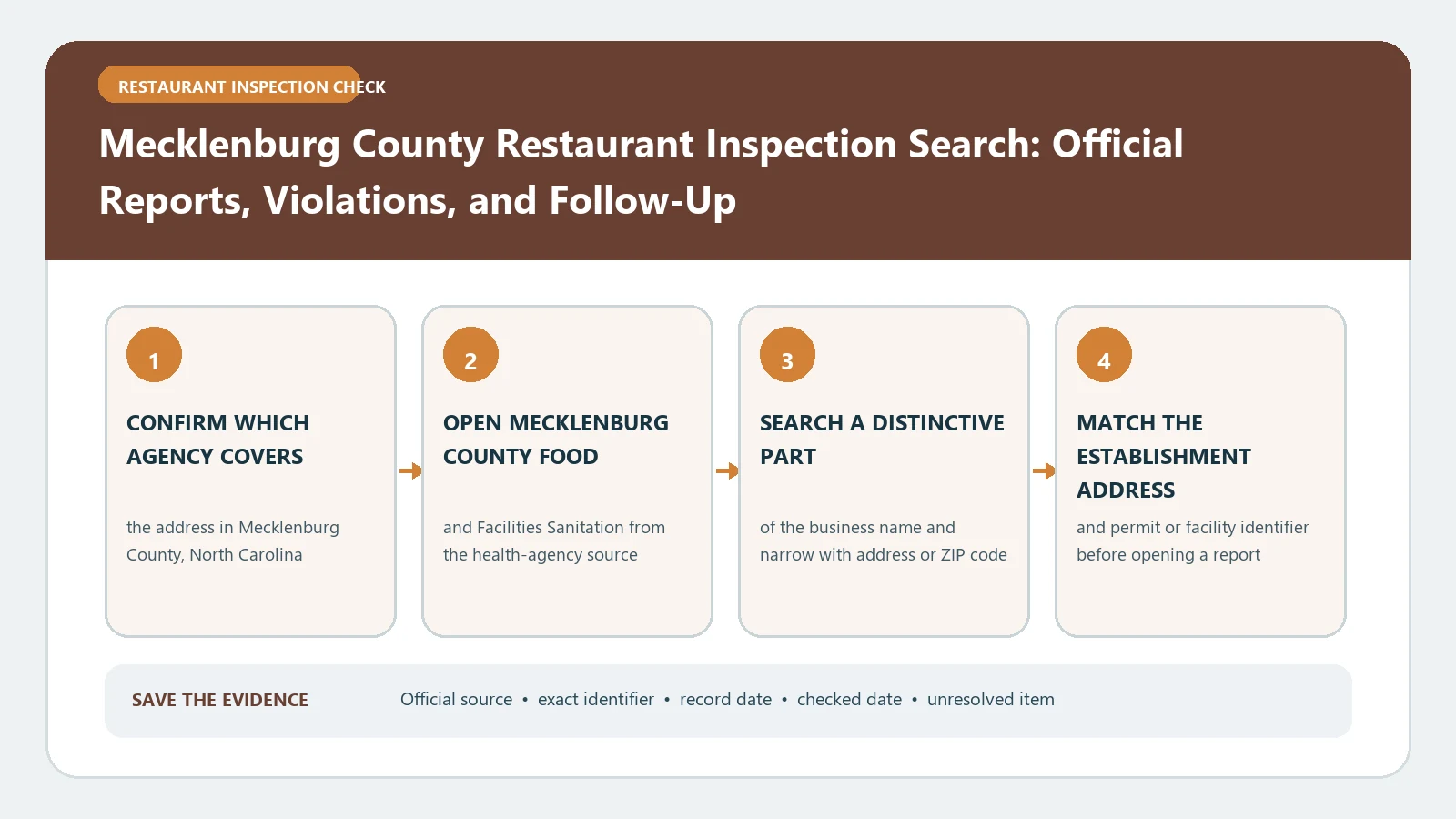
Search Mecklenburg County restaurant inspections by premises name and address, then use the State ID to keep every inspection tied to the same facility. The public system covers many establishment types, so filter for the food operation you need and do not treat a grade marked N/A for another facility type as a restaurant result.
Mecklenburg County’s Environmental Health page links the county inspection lookup and describes Food and Facilities Sanitation as the program that permits and evaluates restaurants and other food operations. The county-designated Public Health Inspections search exposes name, address, date, establishment-type, score, grade, and State ID filters and opens the underlying inspection reports. Both official routes were checked August 26, 2026.
Filter out the nonrestaurant records first
The Mecklenburg interface contains restaurants, food stands, institutions, pools, and other regulated facilities. Select the appropriate Establishment Type or confirm it in the result before reading the score. The portal itself warns that Grade does not apply to every establishment type.
A row for a pool or residential-care facility at the same address is not the restaurant inspection. Keep the premises name, establishment type, and State ID together so the facility cannot be misidentified after export.
Match name, address, and State ID
Search a distinctive part of the premises name, then narrow with Address, City, or ZIP. When a familiar chain appears, require the street address to match. Copy the State ID from the correct row and use it as the anchor for inspection history.
The search offers these useful filters:
- State ID containing;
- Name and Address containing;
- County, City, and ZIP;
- Establishment Type;
- Inspection Date range;
- Grade when applicable.
Record which filters were used. A result is reproducible only when another person can run the same search and distinguish rejected candidates.
Open the report behind the summary row
The result table shows Inspection Date, Premises Name, Address, State ID, Establishment Type, Final Score, Grade, and Inspector ID, with links to violation details and the inspection report. Use the row to confirm identity, then open the report for the actual findings.
Capture the inspection date and type, final score and grade, violations, correction notes, and any later action. Do not infer the violation list from the number. The food-inspection violation guide can help arrange the detail after the official report is open.
Keep the Inspector ID only when it is needed to reproduce the report. It does not add meaning to the score and should not become a basis for comparing inspectors.
Build a State-ID timeline
Return to the search and retrieve all relevant dates for the same State ID. Sort the inspections from oldest to newest. Put each visit in its own row with Inspection Date, inspection type, Final Score, Grade, major findings, documented corrections, and report link.
When a later inspection follows a lower score or cited violation, state only what the later report documents. Do not say that it erased the earlier visit or guarantees that conditions remain corrected today.
The restaurant report-reading guide can help keep identity, visit, finding, and follow-up columns separate.
Read the grade as a dated North Carolina result
For a restaurant row, preserve the numeric Final Score and letter Grade exactly as the portal displays them. Do not compare them directly with a Detroit placard, a Fort Worth demerit total, or a score from another state. Mecklenburg’s report and the applicable North Carolina rules define the result.
Also preserve the Inspection Date. A posted grade reflects an inspection, not a permanent promise about current sanitation. If a later report is available, include it rather than quoting the older grade alone.
Repair a search that returns too much or nothing
For too many results, add the street number, City, ZIP, or Establishment Type. For no result, remove punctuation, shorten the name, search the address, and try a former operator name. Use the State ID from a posted certificate or older report when available.
Check whether the facility is actually in Mecklenburg County and whether it is a regulated food operation. A mobile unit may also appear through the portal’s statewide mobile-food route. Keep those records separate from a fixed restaurant at a commissary address.
A blank query is not proof that the operation lacks a permit or has never been inspected. Save the filters and date, then contact Environmental Health when the unresolved identity matters.
If a broad search returns thousands of mixed facility types, do not download the entire table and search it offline as the first step. Narrow the portal by food-related Establishment Type, city or ZIP, and a practical inspection-date window. Then confirm the State ID in the opened report. This smaller result set reduces false joins and leaves a query that another reader can reproduce without guessing which filters were applied.
Save the narrowed result count too.
Use the program page for complaints and scope
The county program page explains that Food and Facilities Sanitation handles restaurants, food stands, mobile units, temporary establishments, and other facilities, and that Environmental Health investigates sanitation and foodborne-illness complaints. Use that route for a present concern instead of drawing a conclusion from an older score.
A complaint is an allegation until the agency investigates it. Keep the complaint reference separate. Add a later inspection to the facility timeline only when an official report connects it to the matched premises.
For an address outside Mecklenburg County, use the city inspection directory to locate the responsible official system.
Save a Mecklenburg evidence packet
The final packet should contain the premises name, address, establishment type, State ID, filters used, inspection dates, scores, grades, report links, violations, corrections, later actions, and retrieval date. State when a grade was not applicable or a report could not be located.
This packet documents what Mecklenburg County’s public inspection system showed for a particular facility as of the lookup date. It does not guarantee current safety, prove the absence of unpublished activity, or substitute for a current complaint. Recheck the portal before acting and keep the State ID attached to every conclusion.