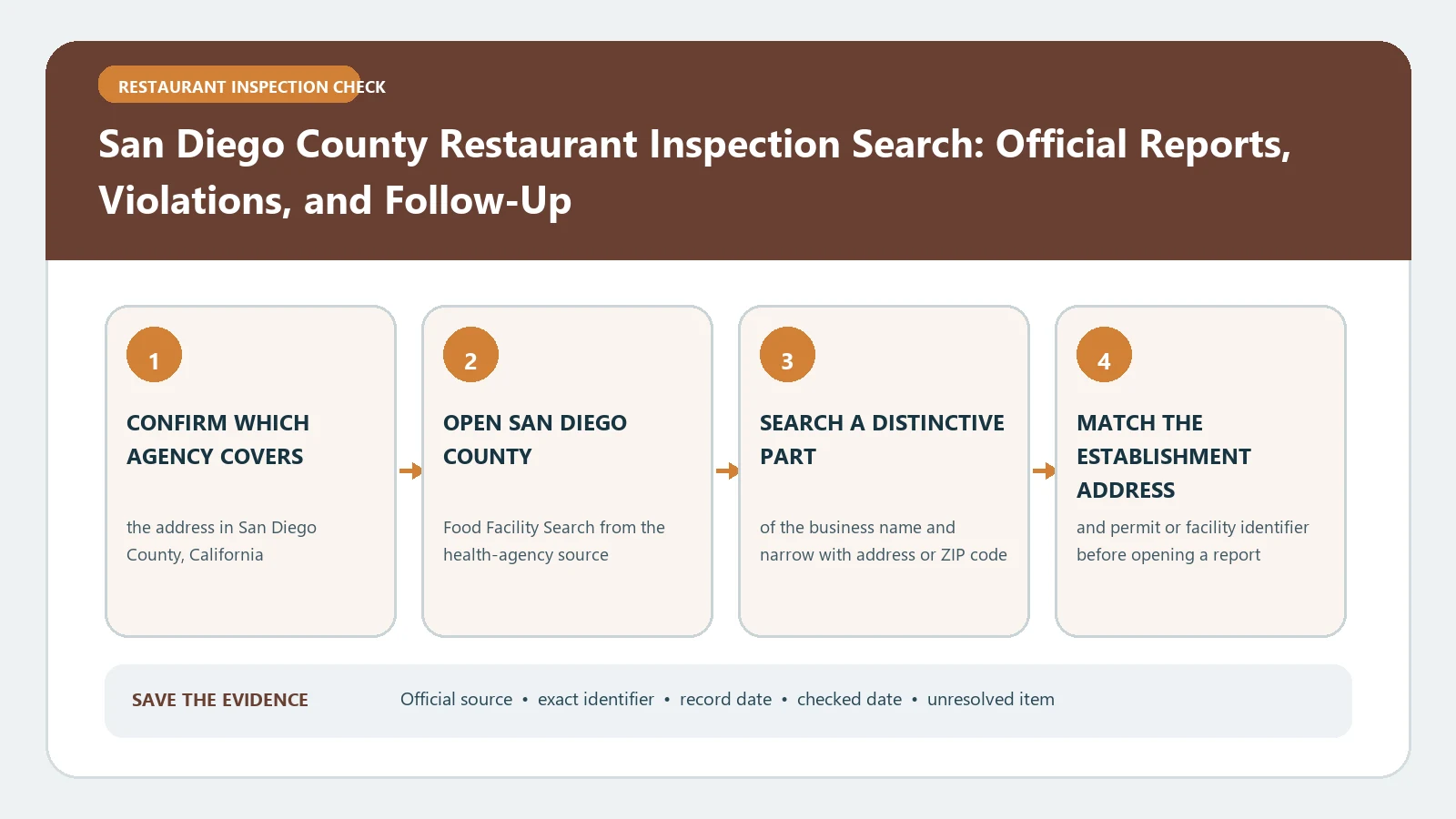
San Diego County publishes both an inspection score and a letter grade, but the record must first be matched to the correct facility and visit type. Search the facility by name and address, verify whether it is a permanent restaurant or a mobile operation, and then read the grade, score, inspection date, violations, and later action as separate fields.
The county’s Food Facility Inspection Search help documents ordinary and advanced search fields, inspection types, score and violation displays, and closure-search behavior. The San Diego County Food and Housing Division food program page explains risk-based inspections, score deductions, A/B/C grades, notices of violation, follow-up, closure, and reopening. Both official sources were checked August 26, 2026.
Choose the facility before interpreting its grade
Begin with a distinctive part of the business name and the street address. If the result is crowded, use the advanced filters for city, ZIP code, business type, or grade. Search help says users can also search closed facilities from the previous three years. This closure filter has a defined window; it is not a complete historic archive.
Compare the facility name, physical address, city, ZIP, and business type. A hotel kitchen, market counter, school, caterer, and restaurant at one complex can be different inspected facilities. For a mobile food facility, record the operator and permit identity shown rather than assuming the vehicle is inspected under the location where it was parked.
If the address belongs to a different California county or a city served by another agency, move to the inspection directory by city before applying San Diego County’s grade rules.
Capture one visit without blending adjacent records
Open the selected facility and record the inspection date, inspection type, score, grade, violations, and any displayed status. The search documentation distinguishes Routine, Re-Inspection, Site Investigation, Status Verification, and Environmental visits. Keep that local visit label, because each type answers a different question.
Use the same capture order every time:
- Confirm the facility name, address, and business type.
- Save the inspection date and the county’s visit label.
- Transcribe the numeric score and displayed grade separately.
- Attach the violations and later action to that visit only.
Build the history one visit at a time. A routine inspection establishes the dated score and findings. A reinspection can document a later check. A site investigation may arise from a different trigger. A status verification should not automatically be described as a new routine grade. When two entries share a date, retain their separate visit types and report links.
Use the restaurant health inspection report guide to store the fields, while keeping the county’s own labels unchanged.
Read the score and letter on San Diego’s scale
The county explains that an inspection begins at 100 points and that violations can deduct points. Its published grade bands are A for 90 through 100, B for 80 through 89, and C for 79 or less. Those thresholds describe this local program; do not apply them to a restaurant inspected elsewhere.
Write the numeric score and displayed grade in different columns. Do not calculate a grade when the official result omits one, and do not treat the grade as a permanent rating. The inspection date is essential because the score records what the inspector found at that visit.
The program distinguishes major violations, minor violations, and good retail practices. Preserve the classification attached to the finding. A high total score does not authorize a claim that every condition was acceptable, and a listed correction does not guarantee the condition stayed corrected after the inspector left.
Follow a notice through reinspection
When a report identifies a violation or notice requiring correction, search forward for the next visit at the same permitted facility. Record the later date, inspection type, score, grade, and disposition. Connect it to the earlier record by facility identity; similar names are not enough.
The county program explains that a Notice of Violation can specify correction and follow-up requirements. It also describes risk-based inspection frequency, so the interval between visits should not be interpreted as a universal deadline without reading the case record. State whether a reinspection was found, not whether one should have occurred based on a schedule guessed from another jurisdiction.
For a structured comparison of the original and later visit, the food inspection violations guide helps separate finding, correction note, and follow-up result.
Treat closure and reopening as a paired sequence
San Diego County can close a facility when an imminent health hazard exists. The food program states that the operator must receive written authorization from the department before reopening. Therefore, an old closure entry does not prove the facility remains closed, and an ordinary later grade should not be called reopening authorization unless the official record makes that connection.
For a closure case, capture the closure date, stated reason, facility identity, and source document. Then look for the county’s status verification, reinspection, or written reopening action. If the public search does not expose the authorization, label the later status unresolved and use the agency contact route.
The closure and permit-suspension guide can organize this sequence, but the county’s written action controls the conclusion.
Read a closure and reopening as separate dated events
A real history shows why the result, inspection type, and grade need separate columns. In SD Food Info, search the portal’s address spelling 751 04TH AVE, select the matching San Diego restaurant, and open Inspection History. The following entries were visible on October 16, 2026:
| Date | Result and inspection type | What that entry shows |
|---|---|---|
| October 9, 2026 | Ordered Closed; Re-inspection | A major vermin violation and a minor holding-temperature violation |
| October 10, 2026 | Ordered Closed; Re-inspection | A major vermin violation remained listed |
| October 11, 2026 | Approved to Reopen; Re-inspection | No violations listed in this reinspection entry |
| October 11, 2026 | Complete; Routine | Score 97, grade A, and three out-of-compliance items concerning food protection, nonfood-contact surfaces, and premises/storage practices |
The explicit Approved to Reopen result supplies the dated reopening decision. The A grade alone does not. Equally, the reinspection’s empty violation list does not erase the separate routine findings on that date. The page provides dates without times, so it does not establish which October 11 visit happened first or the hour the business reopened. These are historical entries, not a statement about the restaurant’s conditions when you visit.
For your own search, keep one line per visit and preserve its type. If you need the full closure order, corrected-item details, or exact reopening authorization, ask the county for those documents using the facility name, address, and dates. The portal’s history URL can depend on the selected facility; saving that URL alone may not preserve your search.
Self-Closed and Directed need different evidence
The county’s inspection definitions distinguish Self-Closed from an inspector’s closure order: the facility had not opened for business when the inspector arrived, and no inspection was conducted. Do not infer a failed inspection from that label.
The same definitions describe Directed work in grocery-store areas outside the graded open-food departments. A missing score therefore needs a scope check, not an invented zero. In a market history checked on October 16, several September 8 entries were labeled Routine, with different scores and one blank score. Those rows did not identify a Directed inspection; the blank alone cannot establish that type. Keep the displayed label and obtain the underlying report if department or inspection scope is unclear. Neither Directed nor Self-Closed was verified as an actual labeled row in the sampled histories above.
Diagnose a no-result screen
If the exact name fails, remove corporate endings and punctuation, search the street number, and try the city or ZIP filter. Check an older name when ownership changed. Use the business-type filter if one address has several facilities, and switch to the mobile category when the subject is a truck or cart.
Search help notes that results can depend on the entered criteria and that closure lookup is limited to the prior three years. A blank page therefore is not proof of no permit, no inspection, or no prior enforcement. Record each search variation and contact the Food and Housing Division when the facility identity or older history remains uncertain.
Save a San Diego inspection packet
The final packet should identify the permitted facility, address, business type, query, and retrieval date. Add a chronological table with inspection date, visit type, numeric score, official grade, violation classes, notice or closure status, and the later county action located. Keep copies or links for the specific reports used.
End with a bounded statement rather than a recommendation. Report what the county showed for the matched facility on each dated visit and whether a later reinspection or written reopening record was located. The packet does not certify current safety, guarantee permit status, or substitute for reporting a current hazard to the county.