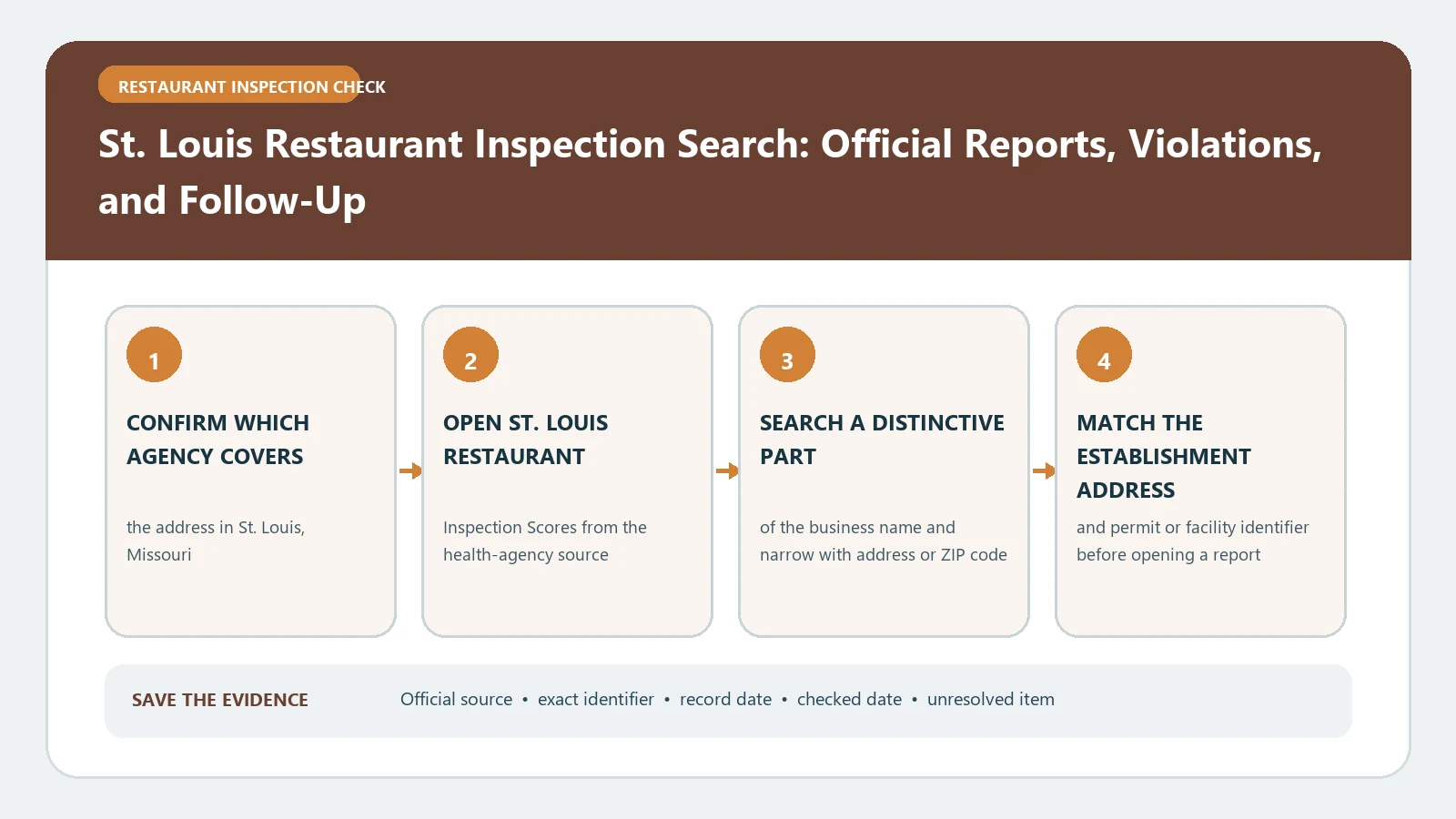
Search St. Louis Restaurant Inspection Scores by establishment name and address, then open the dated inspection report rather than relying on a standalone score or grade. Each report describes the conditions observed at that visit.
Start at the City Department of Health’s restaurant reports directory and choose the current-inspection link, or its separate archive for reports issued through May 10, 2012. Confirm that the establishment is inside the City of St. Louis, since a metro-area mailing address can belong to another inspecting jurisdiction.
St. Louis current inspections and the archive through May 10, 2012
Choose the record period before searching. The City links current inspections and historical ratings separately. An archive entry’s rating comes from reports issued through May 10, 2012. Match the establishment address and the individual report date before interpreting any score.
| Official route | Choose this for | Check before using it |
|---|---|---|
| City reports directory: Current Restaurant Inspections | Current inspections; follow the City’s link to Healthspace. | Match the business and address, then read the inspection date. The directory is an entry point; results are on the linked system. |
| City inspection archive | Reports issued through May 10, 2012. | Search by establishment name; neighborhood, City ZIP code, type and rating filters are also shown. The archive’s three-year average rating reflects reports through 2012. |
If the lookup fails, treat the search as unfinished. Reopen the City’s directory and use its current link. If access still fails, use the Department of Health contact shown there and specify the establishment, address and report date you need. Use the fields and record categories the current system displays, which may differ from the archive’s controls.
Record the St. Louis restaurant’s name, address and ZIP first
Write the subject record before searching. At minimum capture establishment or DBA name, street address, and city or ZIP code. This makes alternate searches comparable and exposes a change in spelling or jurisdiction. The first result can be a nearby address or a shared restaurant name, so check both fields.
| Input to collect | How to record it | Mistake to avoid |
|---|---|---|
| establishment or DBA name | Record the value before the lookup so search changes remain visible. | A close match can still belong to a different record. |
| street address | Copy it exactly from the original record. | A close match can still belong to a different record. |
| city or ZIP code | Keep a second corroborating identifier when names or addresses can repeat. | Missing punctuation or a unit can change the result set. |
| facility identifier, if displayed | Copy it from a matched result as a cross-check; you can start without it. | Keep personal or sensitive identifiers out of a shared note. |
A reproducible note needs only public details. Retain the public search field, matched public identifier, and the values needed to distinguish the record; redact sensitive numbers and application materials. If St. Louis Restaurant Inspection Scores has several search modes, record the one used and whether a broader query produced unresolved candidates.
Steps to look up a St. Louis restaurant inspection
- Confirm which agency covers the address in St. Louis, Missouri.
- Open St. Louis Restaurant Inspection Scores from the health-agency source.
- Use the search fields currently offered. Compare the business name and address on each result.
- Match the establishment name and address before opening a report. Copy a facility identifier if one is displayed.
- Open the dated records actually listed. If complaint, reinspection or closure records are available, compare their dates and findings with the routine report; some record types may be absent for a given restaurant.
- Use the agency contact or records process if a report is missing, ambiguous, or too old for the decision.
This order separates finding from proving. The initial query may surface a candidate. If a detail page is available, copy only the inspection date, type, score, grade or status labels it actually displays. Repeat the check only with another field the system offers. A no-result page documents only that exact search at that time.
How to read St. Louis score, violation and follow-up fields
Transcribe inspection date and type, score, grade, or compliance status, and other labels exactly as displayed. Terms such as corrected, closed or follow-up must be read in the context of the dated inspection. Read the legend or linked instruction before turning a database label into an action.
| Result field | Verification action | Interpretation limit |
|---|---|---|
| inspection date and type | Transcribe the displayed wording and date exactly. | A missing online report may reflect spelling, ownership, jurisdiction, publication lag, or records-retention limits. |
| score, grade, or compliance status | Keep current and historical entries in separate rows. | Inspection systems and grade scales differ by jurisdiction, so compare scores within St. Louis. |
| violation text and severity | Transcribe the displayed wording and date exactly. | A missing online report may reflect spelling, ownership, jurisdiction, publication lag, or records-retention limits. |
| corrective action | Compare it with the identifier and jurisdiction already confirmed. | Complaint, closure, and reinspection records may appear in separate fields or systems. |
| reinspection or follow-up date | Keep current and historical entries in separate rows. | A prior inspection is a dated observation; conditions can change after it. |
| closure or permit action when published | Compare it with the identifier and jurisdiction already confirmed. | A prior inspection is a dated observation; conditions can change after it. |
Keep record time and lookup time separate. If a result displays more than one date, copy each label exactly and record the lookup date separately. Retain each label and flag a missing date rather than inferring chronology from page order.
Save a result another reader can reproduce
Create a compact record for the decision at hand. The table should allow a second person to reopen St. Louis Restaurant Inspection Scores, enter the same identifier, locate the same detail, and understand the remaining limit. Keep the original report link beside your note.
| Evidence field | What to enter | Why it matters |
|---|---|---|
| Target | Establishment or DBA name and exact City street address | Names the exact record or decision being checked |
| Official source | City Department of Health reports directory | Preserves the issuing authority rather than a copied summary |
| Search input | Exact search field and value used; add a facility identifier only if the system displays or accepts it | Makes the result reproducible |
| Matched record | Displayed identifier, jurisdiction, and record type | Shows why the result belongs to the intended subject |
| Observed result | Status or field copied without expanding its meaning | Separates evidence from interpretation |
| Dates | Every displayed record date with its exact label, plus the checked date | Exposes stale or superseded information |
| Unresolved item | Specific missing field, conflict, or agency question | Keeps open questions visible |
A screenshot or downloaded public file preserves context; keep the live URL with it. Capture the jurisdiction, legend, record identifier, and date when permitted. Label whether the evidence came from a result list, detailed record, map layer, report, notice, or agency response so the citation can be audited later.
When a St. Louis record is missing or two City pages disagree
A missing St. Louis record may reflect spelling, publication delay, jurisdiction, an archive, or an identifier change. Try one alternate official field and verify the system boundary. If official pages disagree, retain both URLs and dates, identify the controlling authority, and ask a focused question when the discrepancy affects your interpretation of the inspection or follow-up.
- State the exact unresolved question and include the record identifier in a private agency inquiry.
- Recheck after a relevant agency update, correction or follow-up inspection.
- Keep the earlier result when change history matters; label it superseded rather than silently replacing it.
For an address outside the City, first find the correct inspecting jurisdiction. For help with the lookup and report itself, read restaurant inspection check by city, restaurant health inspection report guide and food inspection reports violations, then choose only the guide that answers the adjacent question.
Does an official search result prove the final outcome?
Only for that inspection. The result supports what the agency recorded for that inspection date and type; present condition and later compliance need later records.
A blank search can be caused by spelling, coverage, timing, or a different identifier. Run one controlled alternate query in St. Louis Restaurant Inspection Scores, document both attempts, and ask the City Department of Health where older or non-public records are held.
How often should the result be checked again?
Check again near the decision date and after a relevant inspection, follow-up, correction or City health-agency notice. A saved capture stays fixed at its capture date.
A citation should lead back to the issuing source. Use City Department of Health reports directory and City inspection archive, quote only the necessary field, and note any interpretation limit.
St. Louis City directory and archive pages checked September 13, 2026.