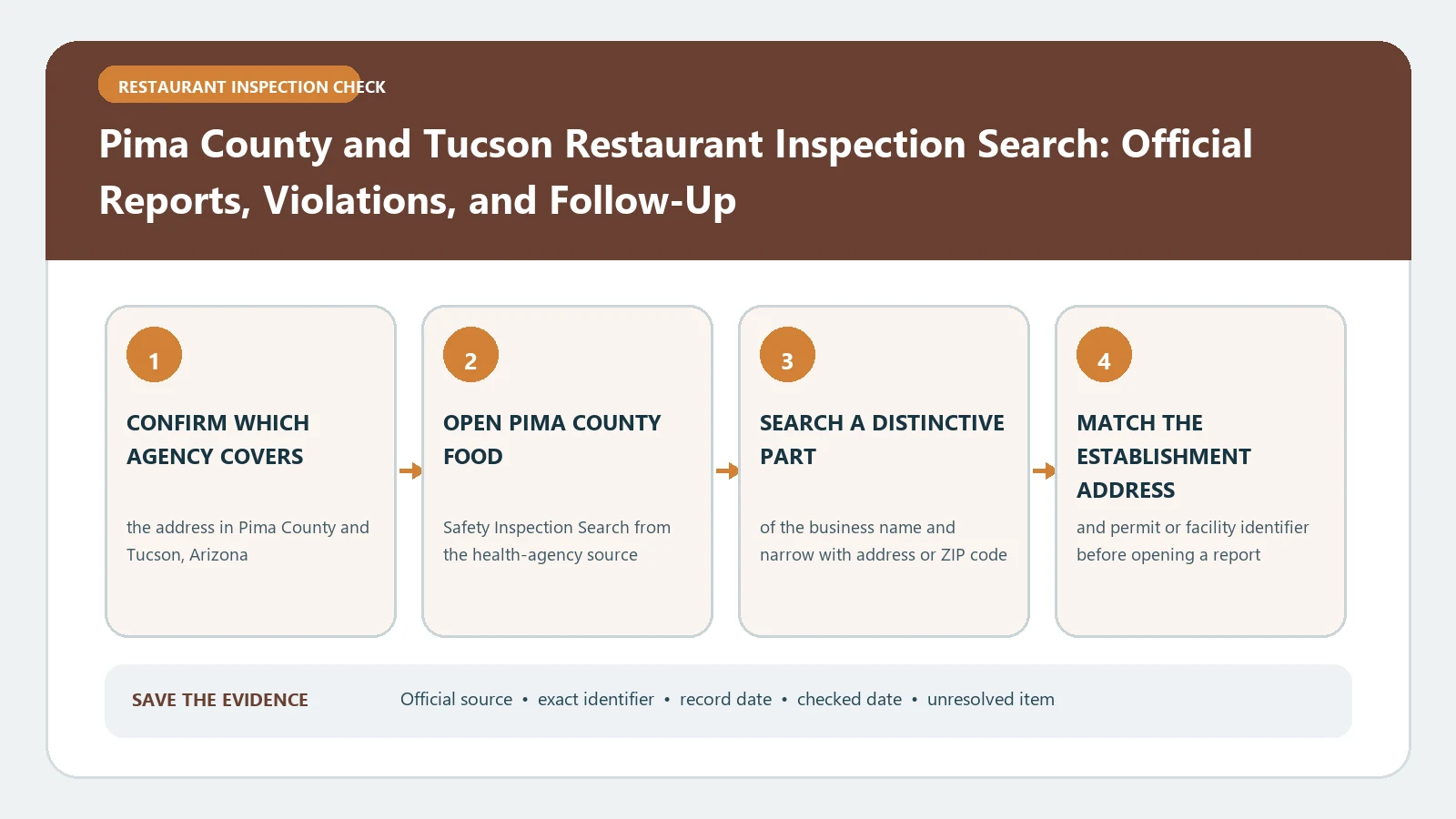
Pima County restaurant inspection reports are published through the County Health Inspect portal. Search the Tucson-area facility, match the address, open the dated report, and read the letter rating together with its Priority and Priority Foundation findings. The county’s scale runs from Excellent and Good through Satisfactory, Needs Improvement, and Probation; the letter is not a substitute for the underlying violations or follow-up.
Checked August 26, 2026 against the current routes published by Pima County Consumer Health & Food Safety, Pima County Consumer Health & Food Safety, Pima County Consumer Health & Food Safety.
Anchor the Tucson storefront to one facility record
- Open the official portal from the Pima County Consumer Health page.
- Search the restaurant name and compare every returned street address.
- Try the legal name, former name, or address when the public-facing brand is absent.
- Open the facility history and record the inspection date before reading the rating.
- Keep the facility identifier or stable report link with your notes.
Tucson is the common location term, but the report belongs to the facility identified by Pima County. A similarly named restaurant, mobile unit, or market is not interchangeable with the premises you intended to check.
Translate the rating from the risk-factor count
The Pima County rating-system notice explains how Priority (P) and Priority Foundation (Pf) violations affect routine inspection ratings. Use the report’s own sections and correction status; do not count every line in the document as though it has the same role.
| County rating | Published trigger in the rating notice | What to inspect next |
|---|---|---|
| Excellent (E) | 0 Priority/Priority Foundation risk-factor violations | Check the report date and any Core or other documented items |
| Good (G) | 1–2 P/Pf risk-factor violations | Read each condition and whether it was corrected |
| Satisfactory (S) | 3–4 P/Pf risk-factor violations | Compare later reports for recurrence or correction |
| Needs Improvement (NI) | 1–4 risk-factor P/Pf violations not corrected during inspection | Find the required follow-up and later disposition |
| Probation (P) | 5 or more risk-factor P/Pf violations, or qualifying repeat noncompliance | Read the complete official sequence and any enforcement action |
Separate Risk Factors from Good Retail Practices
Pima County’s notice treats sections differently. Priority or Priority Foundation items in the Risk Factor section are counted individually for the rating. Three P/Pf violations in Good Retail Practices reduce the rating by one category. Core violations are assessed under their own framework. Preserve the section and item type so your count can be reproduced.
| Report section | Copy from the report | Reason |
|---|---|---|
| Risk Factors / interventions | P or Pf item, compliance, correction status | These items drive the main count and can produce NI when left uncorrected |
| Good Retail Practices | P/Pf items grouped as the County directs | Three qualifying items can reduce the rating one level |
| Core items | Description and disposition | They matter even though they are not counted as a risk-factor P/Pf item |
| Repeat pattern | Same requirement, visit dates, and section | The County’s repeat rules can support a Probation result |
Uncorrected and repeat findings can matter more than the raw total
One uncorrected pattern can change the result differently from several items corrected during the visit. For a Needs Improvement or Probation report, open the next inspection and check the same item numbers or descriptions. Do not say the problem was resolved merely because the restaurant remains listed in the portal.
- Corrected during inspection: retain the correction notation and still check later recurrence.
- Not corrected: locate the required follow-up or enforcement entry.
- Repeated condition: compare the same item across the county’s stated sequence window.
- Imminent health hazard: the county notice says the facility is closed until the hazard is remediated; look for the later official reopening evidence.
Save an evidence card before the rating changes
| Evidence-card field | Value to retain |
|---|---|
| Facility identity | Name, address, and portal identifier |
| Inspection event | Date, type, report link or file |
| Rating | Letter and exact wording displayed |
| Drivers | P/Pf Risk Factor count, Good Retail Practices effect, uncorrected or repeat items |
| Later action | Reinspection, correction, probation, closure, or reopening record |
| Checked on | August 26, 2026 |
Recover a blank or blocked portal search
If the portal is blank, blocked by a browser check, or returns no facility, return to the Pima County Consumer Health page to confirm the official link. Retry by address and former name. If the record remains unavailable, contact Consumer Health & Food Safety at 520-724-7908 with the facility address, approximate inspection date, and the search you attempted.
A Pima County rating summarizes a specific routine inspection under the County’s published rules. It does not guarantee current conditions or replace the individual findings and later agency action.
For help reading the violation rows behind the letter, use Food Inspection Reports and Violations. Use the report guide when the visit type or correction field is unclear.
Recalculate the displayed rating only as a verification exercise
If you check the County’s displayed letter against the report, count only the items the published rating rules say to count and keep each item in its original section. Write down the correction status before applying the Needs Improvement rule, and identify the particular repeat history before describing a Probation trigger. If your calculation differs from the portal, report the discrepancy and ask the County; do not replace the official rating with your own.
| Verification step | Stop and check when |
|---|---|
| Count P/Pf Risk Factors | An item is in Good Retail Practices or its type is unclear |
| Apply correction status | The report does not say whether the item was corrected |
| Apply repeat logic | Earlier reports or matching item numbers are missing |
| Compare with letter | Your result differs from the County display |
Use the letter as an index into the evidence
The rating helps you decide what to open next; it should not end the review. For E or G, inspect any listed conditions and later recurrence. For S, NI, or P, identify the items that drove the category, whether they were corrected during the visit, and what the next official event records. This produces a transparent result that another reader can reproduce.